SAP support starts
with one question.
Paste an error and sapstack lays out the likely causes, the T-codes to check and how to undo each fix. It also explains what your company’s Z programs do, in plain business language. A Windows app for the people who keep SAP running.
v2.7.0Windows x64~250 MBPortable version
- 24SAP module plugins
- 472T-codes in the registry
- 21specialist agents (plus 23 commands)
- 9app UI languages (knowledge in 6)
FI · CO · TR · MM · SD · PP · QM · PM · WM/EWM · HCM · SuccessFactors · ABAP · BASIS · BTP · S/4HANA migration and more
Does it really do that?
Questions an SAP business user is likely to ask first, answered straight, including what it cannot do.
F110 ran, but one vendor was left out of the payment. Can I ask about that?
sapstackThat is exactly what it is built for. Errors and incidents go to the Evidence Loop: it restates the situation, lists the likely causes as hypotheses and tells you which T-codes to check. Paste what you see on those screens and it rules hypotheses out one by one until the cause is narrowed down.
Can it explain our own programs, the ones starting with ZFI?
sapstackYes, once IT has made a CBO snapshot. The app reads a copy of your company’s custom ABAP source and explains what a program does in business language. These answers always carry the snapshot date, so code changed after that date is clearly not covered.
Isn’t installation and setup a hassle?
sapstackBusiness users only have to start it. IT places one provision.yaml file next to the exe, and the first run sets up the AI connection, the SAP environment and business-user mode. One caveat: the app is not code-signed yet, so Windows shows a warning the first time. The install notes below show how to get past it.
Our PCs can’t reach the internet.
sapstackConnect a local model and answers are generated on the PC itself. IT imports the GGUF model pack separately. To be upfront, answer quality is lower than with cloud models. The air-gapped option also turns off crash reporting and update checks. It is not a guarantee of fully offline operation, so please verify it in your own environment before a rollout.
Where do our questions and company data go?
sapstackQuestions go to the AI connection your company chose: a company API key, a company gateway or a local model on the PC. Custom code is read from a snapshot copy made by IT rather than from SAP directly.
What if someone clicks the wrong thing and breaks something?
sapstackBusiness-user mode starts in Explore, a read-only mode, and hides the developer items on the home screen. Web search, the browser and network shell commands are blocked. Every suggested fix comes with a way to undo it, and the actual change is still decided by the person authorized to make it.
What if the AI gets it wrong?
sapstackIt can. That is why the Evidence Loop attaches a falsification condition to every hypothesis, “if you see this, the hypothesis is wrong”, and holds back its conclusion until the evidence is in. Custom code answers also state which snapshot date they read.
How much does it cost?
sapstackThe app is a free download and the source is open under the MIT license. A company rollout, meaning installation and provisioning, the CBO snapshot pipeline, training and support, depends on your size, so please get in touch by e-mail. choishiam@kakao.com
Ask about SAP the way you would ask a colleague
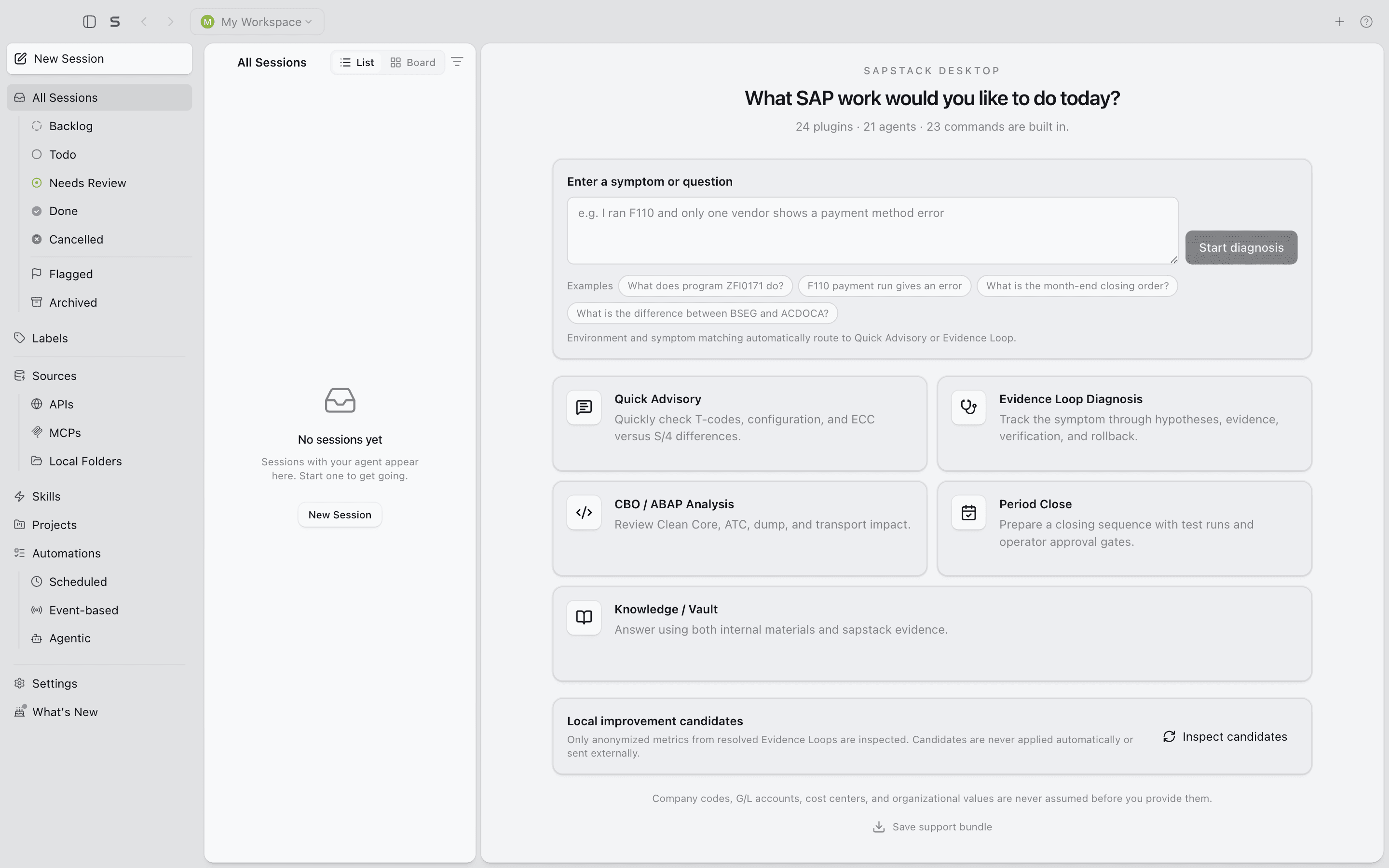
Type into the box on the home screen. sapstack works out whether you are reporting an error or asking for a fact, and answers accordingly. Not sure where to begin? Click one of the example questions.
Evidence Loop
Errors and incidents are diagnosed in four turns: intake, hypothesis, evidence, verification. No jumping to conclusions.
Falsification and rollback
Every hypothesis comes with the condition that would prove it wrong, and every suggested fix comes with a way to undo it.
Quick Advisory
Factual questions such as “where is this configured?” get a short answer you can use right away.
SAP knowledge built in
24 module plugins, from FI, CO, MM and SD to BASIS, BTP and S/4HANA migration, plus a registry of 472 T-codes.
How the Evidence Loop answers
Illustration — the actual screen may differ
Only vendor 100045 is missing from the F110 payment proposal. Company code 1000. Every other vendor is fine.
- Intake
- Hypothesis
- Evidence
- Verify
Situation: company code 1000 · vendor 100045 · excluded from the proposal only · other vendors fine
Hypotheses
- H1A payment block is setRejected if: the payment block key is empty on both the vendor master and the open items
- H2The payment method does not match the run parametersRejected if: the vendor’s payment method is included in the F110 parameters
- H3The items are not due until after the next runRejected if: the open items fall due before the next run date
Evidence to collect
- FBL1NDue dates and payment block keys of the open items for 100045
- BPPayment methods and payment block in the vendor’s payment transaction data (XK03 on ECC)
- F110Due date check and payment method selection entries in the additional log
Verification
Strike out the hypotheses the evidence contradicts, then confirm the remaining one in the F110 additional log.
Fix and rollback
- FixRemove the payment block on the open item in FB02UndoSet the original block key again
- FixAdd the payment method in BPUndoRemove the added method and review the change log
A look at the app
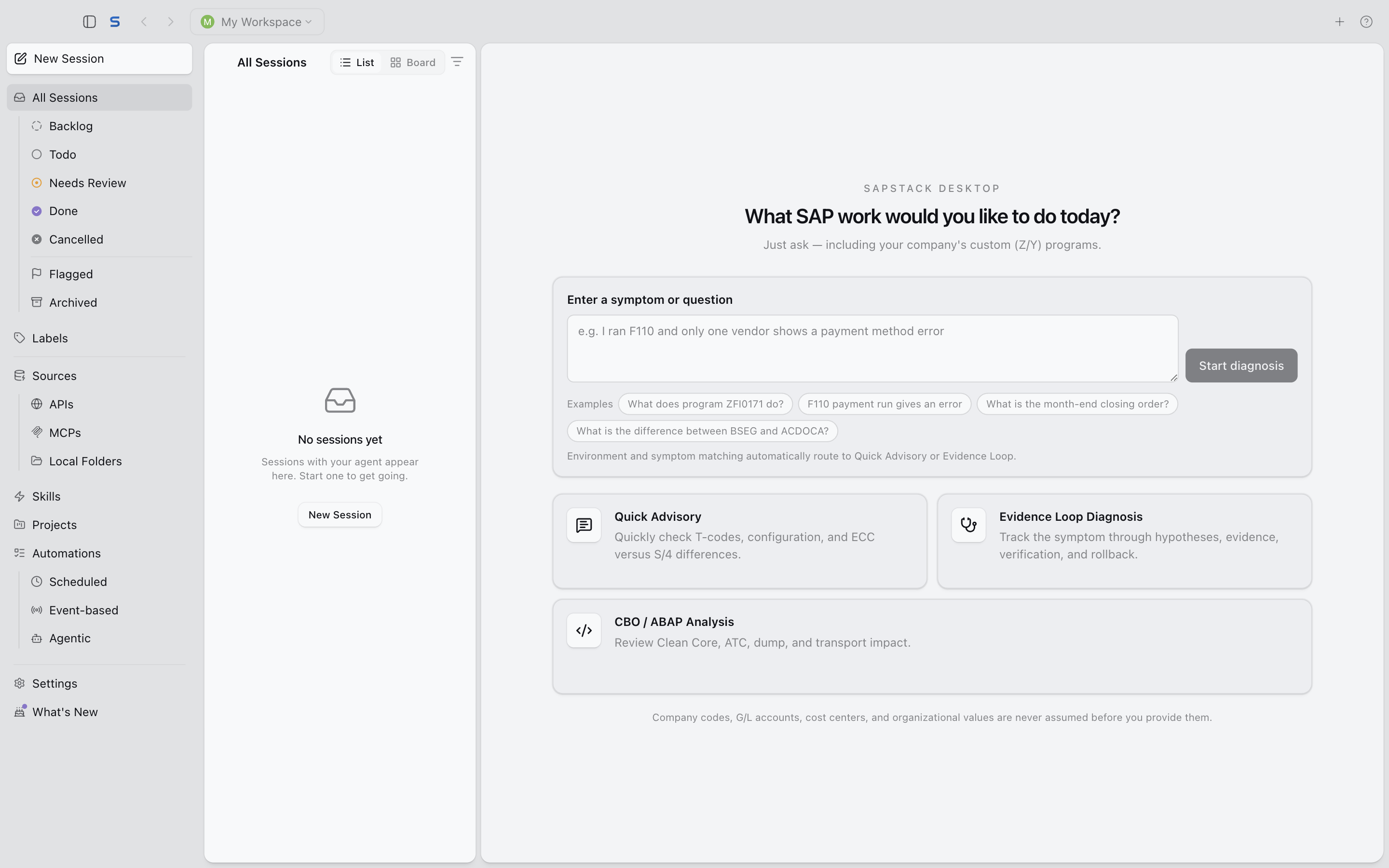
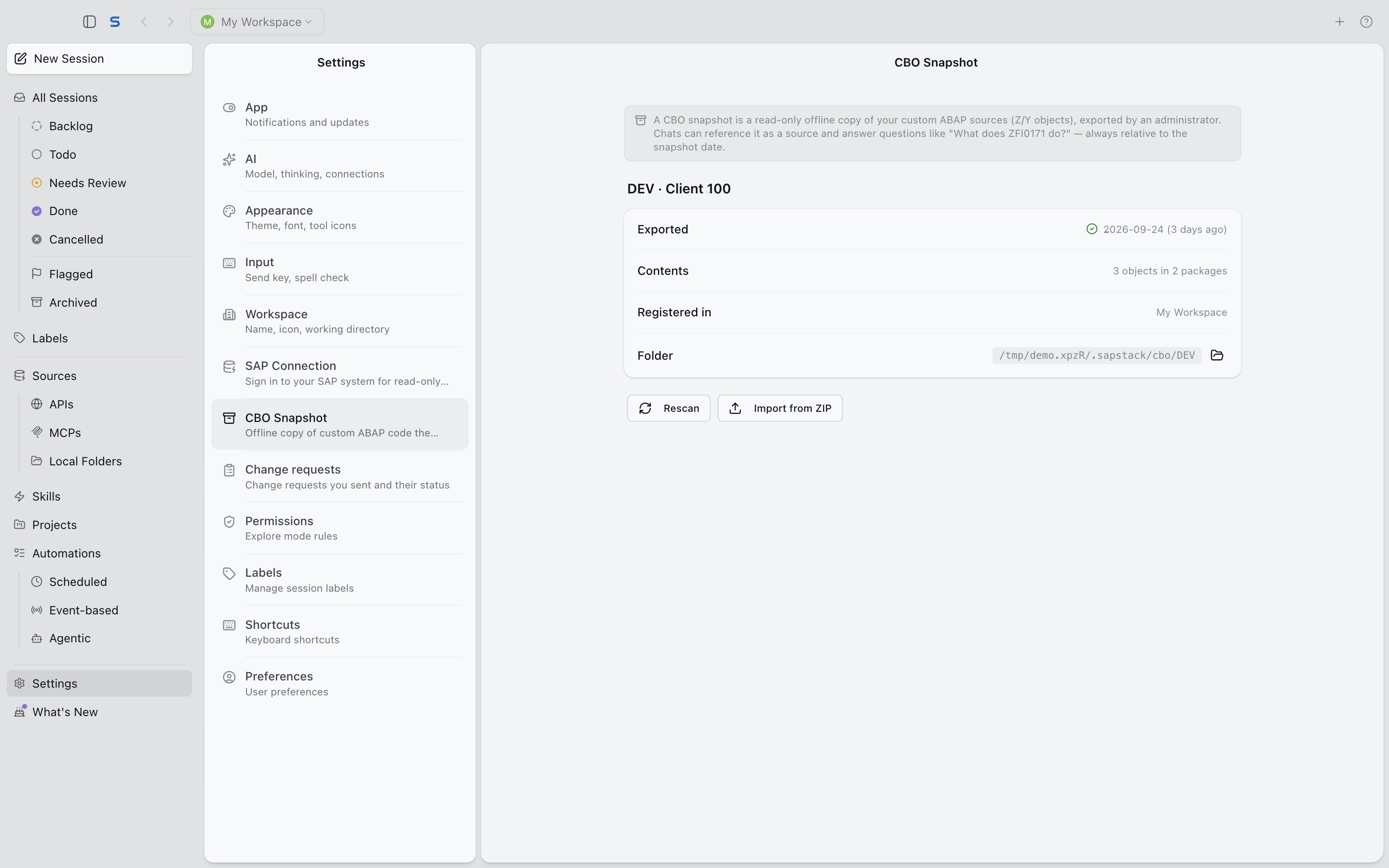
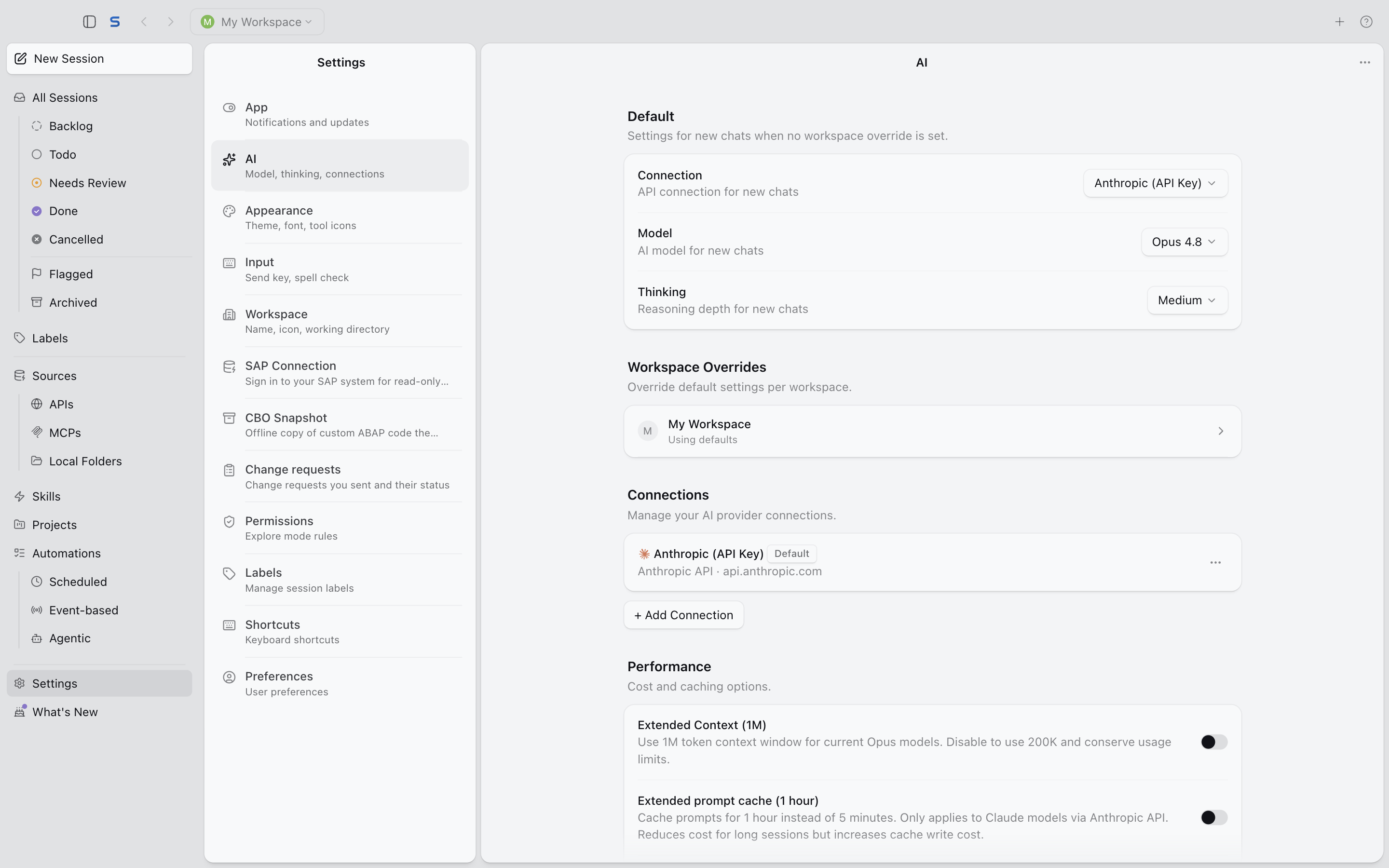
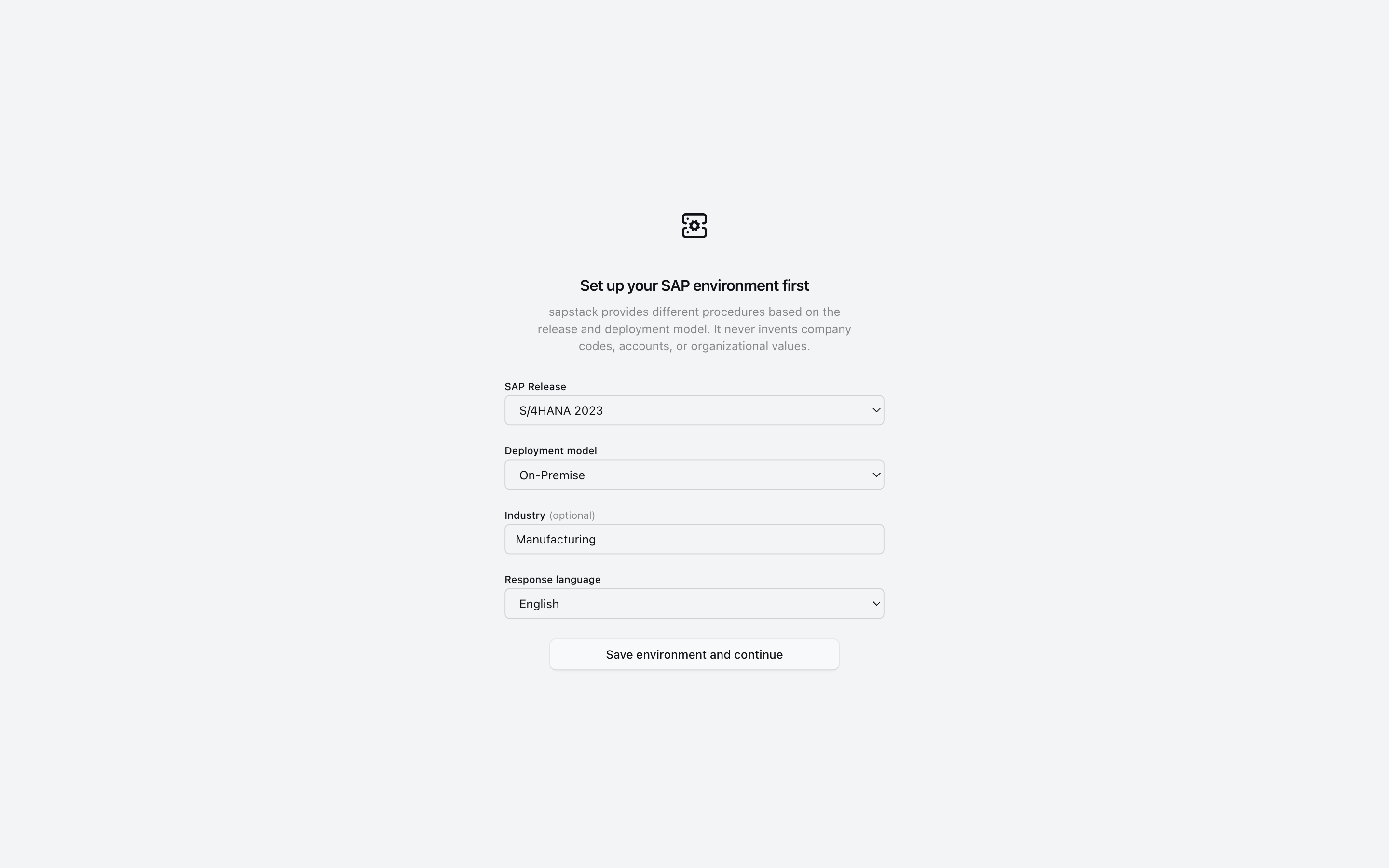
Screens captured from the English UI.
It explains your company’s Z programs, too
Standard SAP knowledge only goes so far. With a snapshot prepared by IT, sapstack also reads your company’s own Z and Y programs.
A snapshot made by IT
IT exports the custom Z/Y ABAP source read-only through ADT into a snapshot.
No SAP access needed
The app reads the snapshot copy, not SAP, and answers “what does program Zxxx do?” in business language.
Always dated
Every custom-code answer states the snapshot date, so changes made after it are clearly out of scope.
Three ways to deliver it
Ship it in the install kit, drop it in a shared folder, or import it from a ZIP in settings.
No settings walkthrough for every PC
IT prepares it once. Business users open the app and start asking.
One provision.yaml
Put one file next to the exe and the first run configures the AI connection, the SAP environment and business-user mode.
Business-user mode
The home screen keeps only the question box and three cards (Quick Advisory, Evidence Loop, CBO/ABAP analysis) and hides the developer items.
Installer or portable
A per-user installer, and a portable exe that runs without installation.
Automatic updates
The installed version updates itself from GitHub Releases; replace the portable exe with the new file.
What IT asks before handing AI to the business
Cautious defaults. Your company decides what to open up.
Starts in Explore (read-only)
Business-user mode starts in the read-only Explore mode. Web search, the browser and network shell commands are blocked.
Remote images on click
Remote images in a conversation are not loaded until the user clicks them.
Microsoft Entra sign-in (optional)
When IT sets it up, users sign in with their company Microsoft Entra account.
Change requests to Azure DevOps (optional)
When IT sets it up, change requests for a program can go to Azure DevOps Boards.
Your company decides which AI to use
Pick the connection that fits your policy.
Company API key
Connect directly with an Anthropic API key.
Company gateway
Route requests through an OpenAI-compatible company gateway, so they follow the path and policies your company already runs.
Local model
The bundled llama.cpp engine answers on the PC itself. The GGUF model pack is not in the installer and is imported separately; answer quality is lower than with cloud models.
Air-gapped option
Turns off crash reporting and update checks. It does not guarantee fully offline operation, so verify it in your environment.
Rolling it out across your company
Anyone can download the app for free. For a company where many people use it together, we offer rollout support that prepares everything from installation to day-to-day operation.
- Pricing
- Pricing on request, based on the number of users and the scope of the rollout.
- Rollout inquiry
- choishiam@kakao.com
What rollout support includes
- Installation and provisioningA provision.yaml and distribution kit that match your AI connection and SAP environment.
- CBO snapshot pipelineA routine for IT to snapshot your custom code and deliver it to business users’ PCs.
- TrainingSessions for business users and IT on asking good questions and running the app.
- SupportHelp with problems and questions after the rollout.
What comes next
These features are not available yet. Scope and timing may change.
- Planned
An IT-approved knowledge vault
CBO and business process documents built with ADT, kept in an Obsidian vault managed by IT. Business users see only the documents IT has approved.
- Planned
Ask IT from inside the app
When an answer is not enough, send an inquiry to IT without leaving the app.
- Planned
Cloud admin console
Invite users and manage accounts from a web console.
The same SAP knowledge in your dev tools
Before the first run
If Windows shows a warning
The app is not code-signed yet, so Microsoft Defender SmartScreen warns you on the first run.
- In the “Windows protected your PC” window, click More info.
- Check that the app name matches the sapstack file you downloaded.
- Click Run anyway.
If your company’s PC policy blocks the app outright, ask your IT team.
System requirements
- Windows, 64-bit (x64)
- About 250 MB to download
- The installer sets up per user; the portable exe runs without installing
- Internet access for update checks and cloud AI connections
An AI connection
You need one AI connection to get answers: an Anthropic API key, your company’s OpenAI-compatible gateway or a local model. For a company rollout, IT can put it in provision.yaml so business users never have to enter it.
Download it and ask your first question.
Thinking about a company rollout? Drop us a line.
v2.7.0Windows x64~250 MBPortable version