
Log your day.
Watch your character grow.
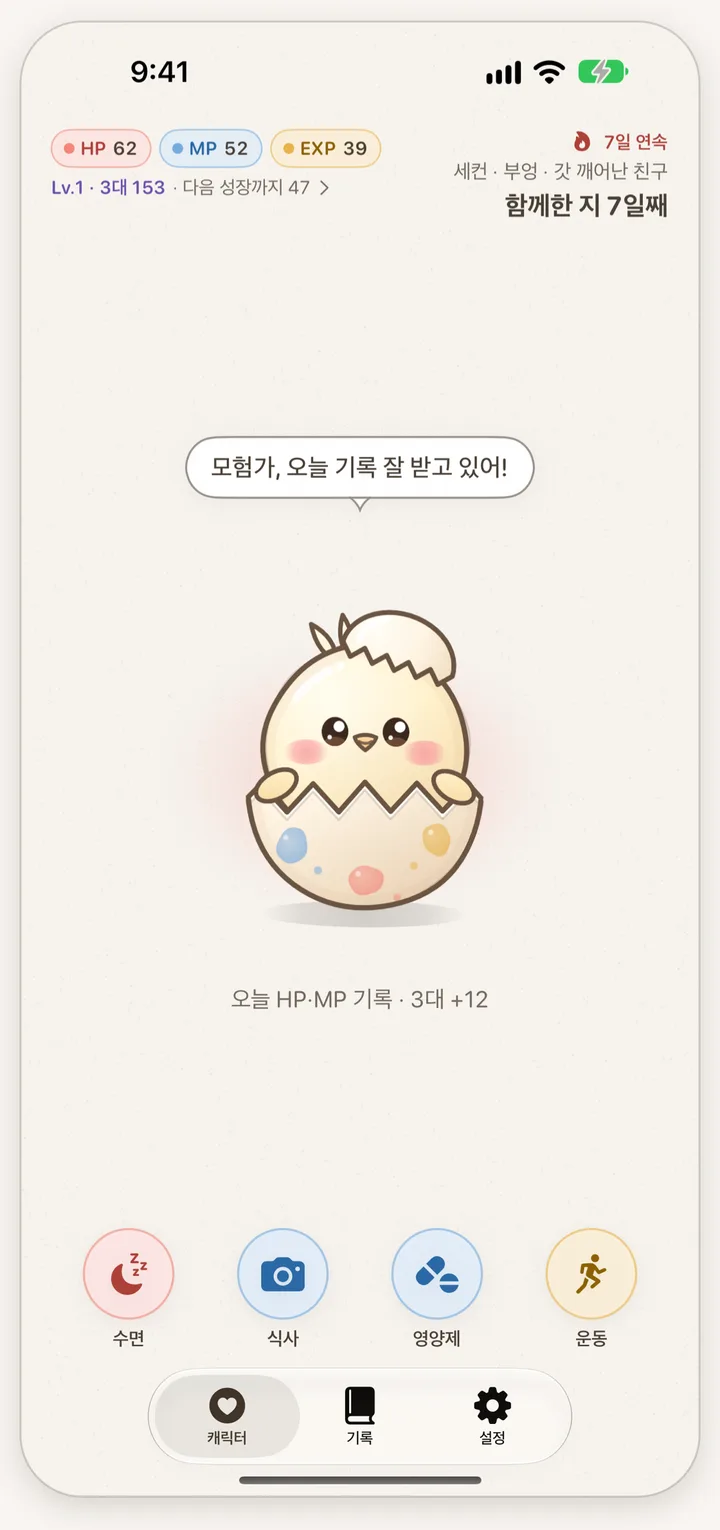
Log meals, supplements, exercise and sleep, and your HP, MP and EXP go up while a character hatches from an egg and grows. Your records stay on your iPhone: no server, no account, no sign-up.
- 0Developer servers
- 0Accounts or sign-ups
- 0Ads, analytics or tracking
- FreeNo subscriptions or in-app purchases
Your day, as three game stats
You set your own goals. The defaults are only a starting point, not recommendations, and the stats are game numbers, not a health assessment.
- HP
Sleep · Steps
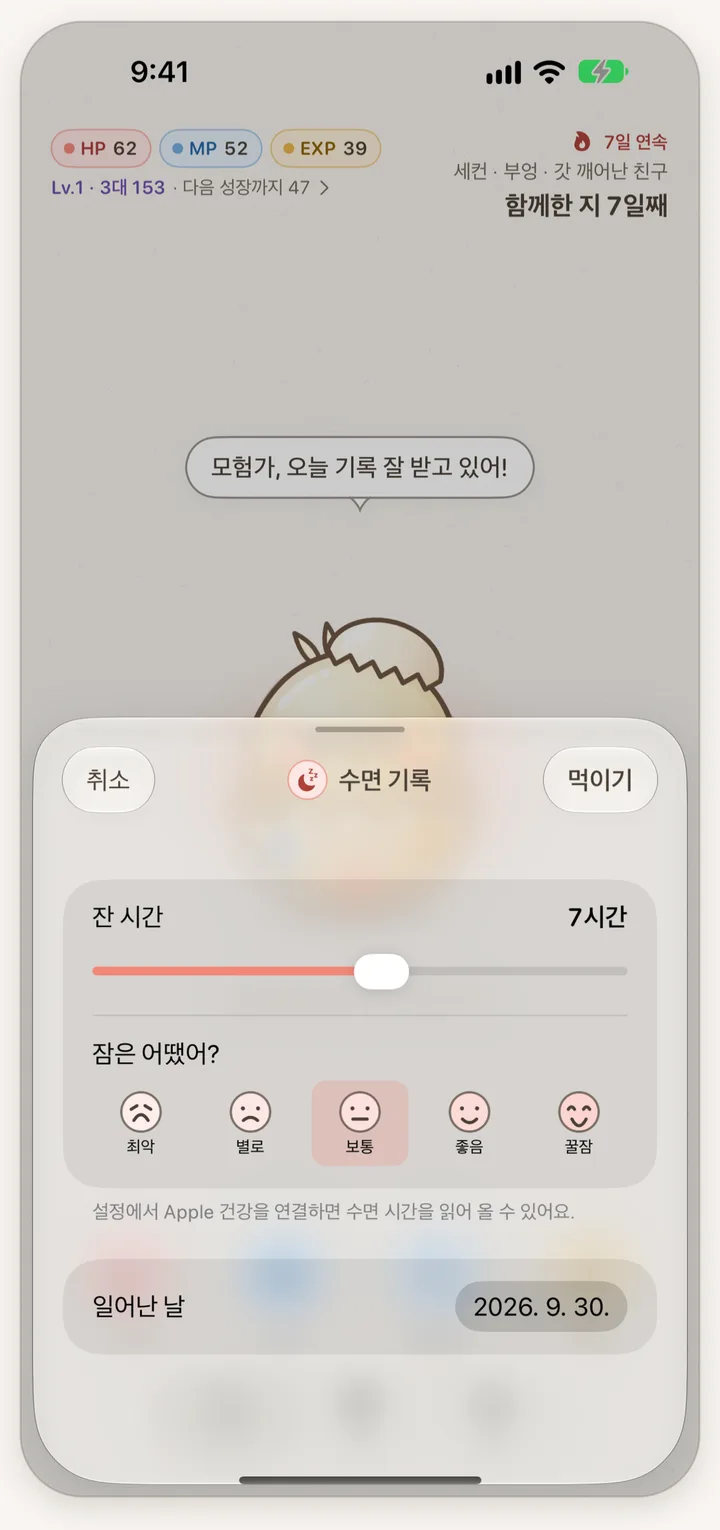
Log how long you slept and how well. Steps count only when Apple Health is connected.
- MP
Meals · Supplements
Log a meal with one photo, and supplements by ticking the routine you set yourself.
- EXP
Exercise
Log the exercise, its minutes and its intensity.
- 3대
HP + MP + EXP
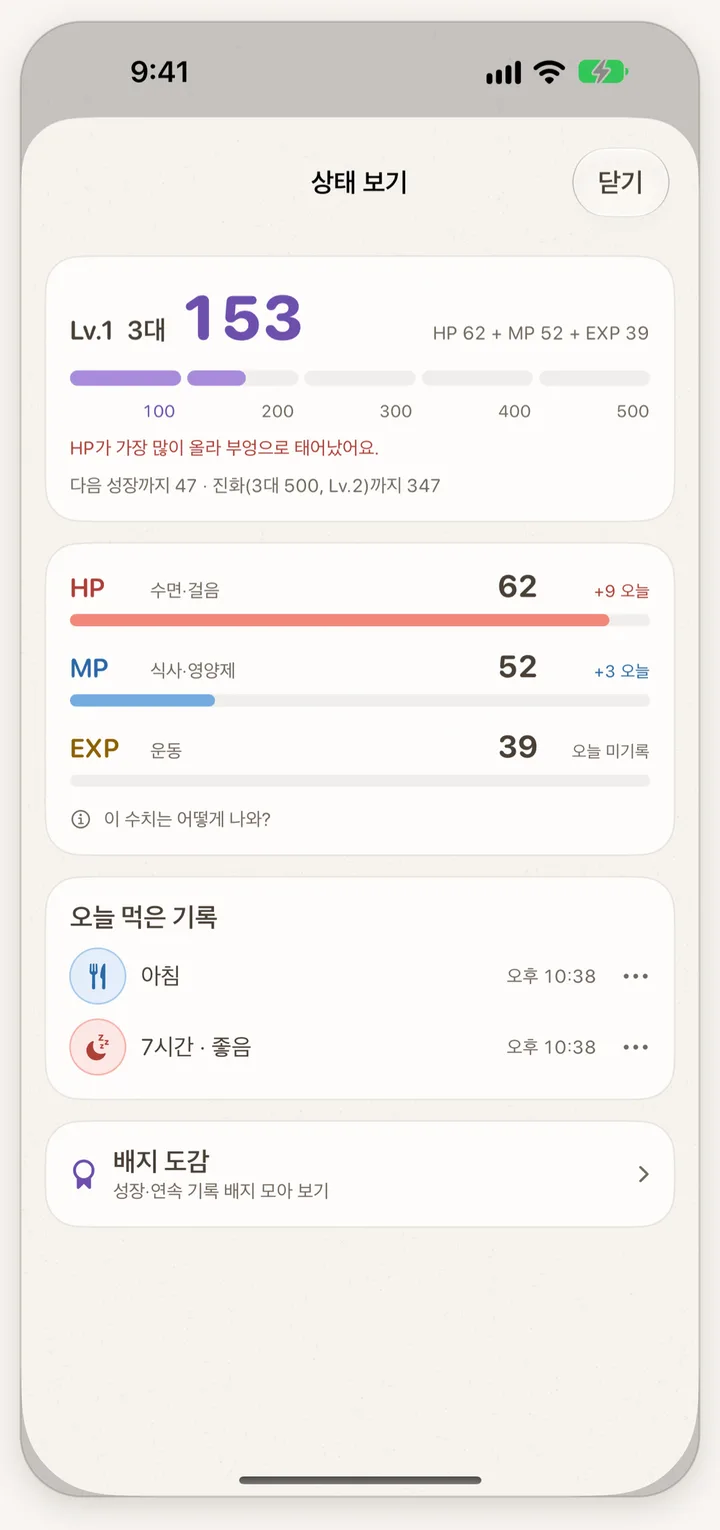
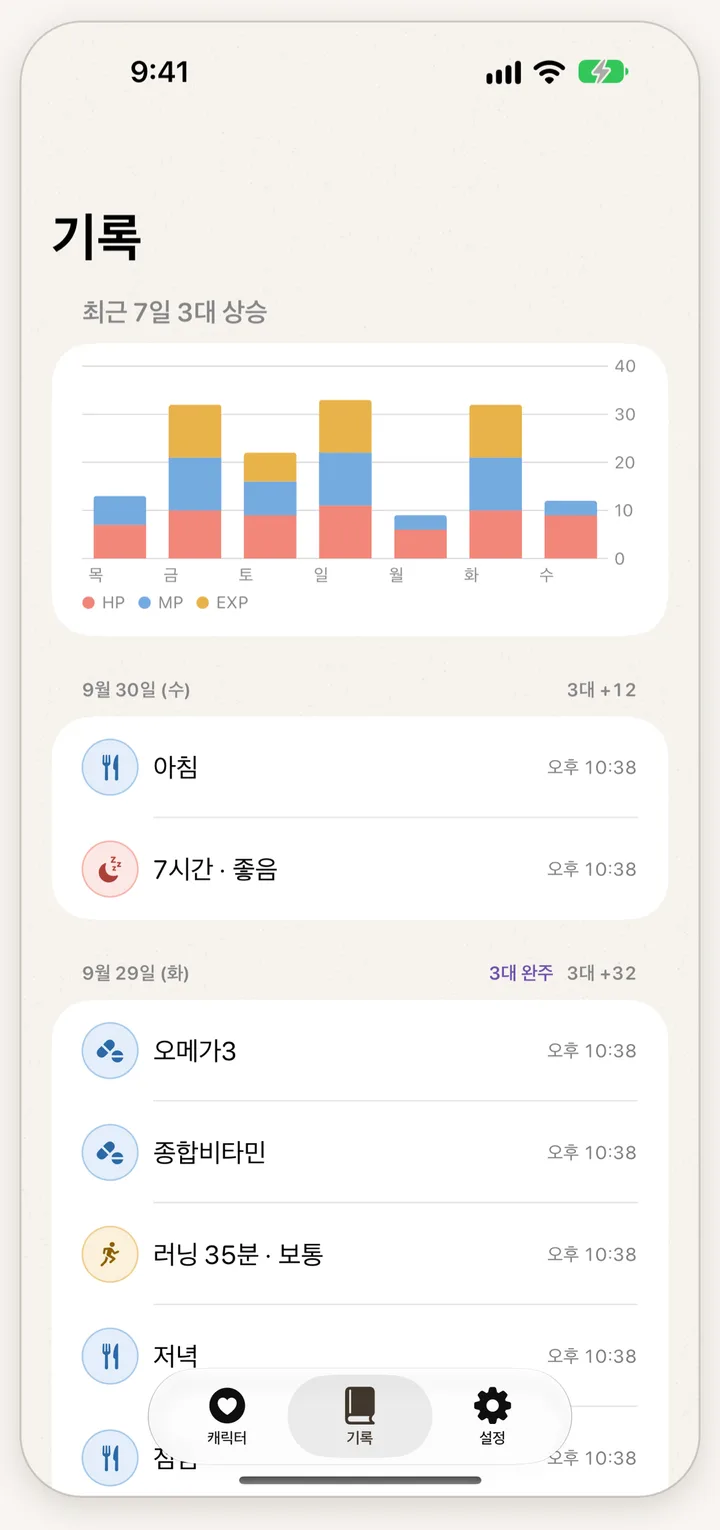
The sum of the three, called “3대” in the app. The higher it climbs, the more your character grows.
One egg, three different friends
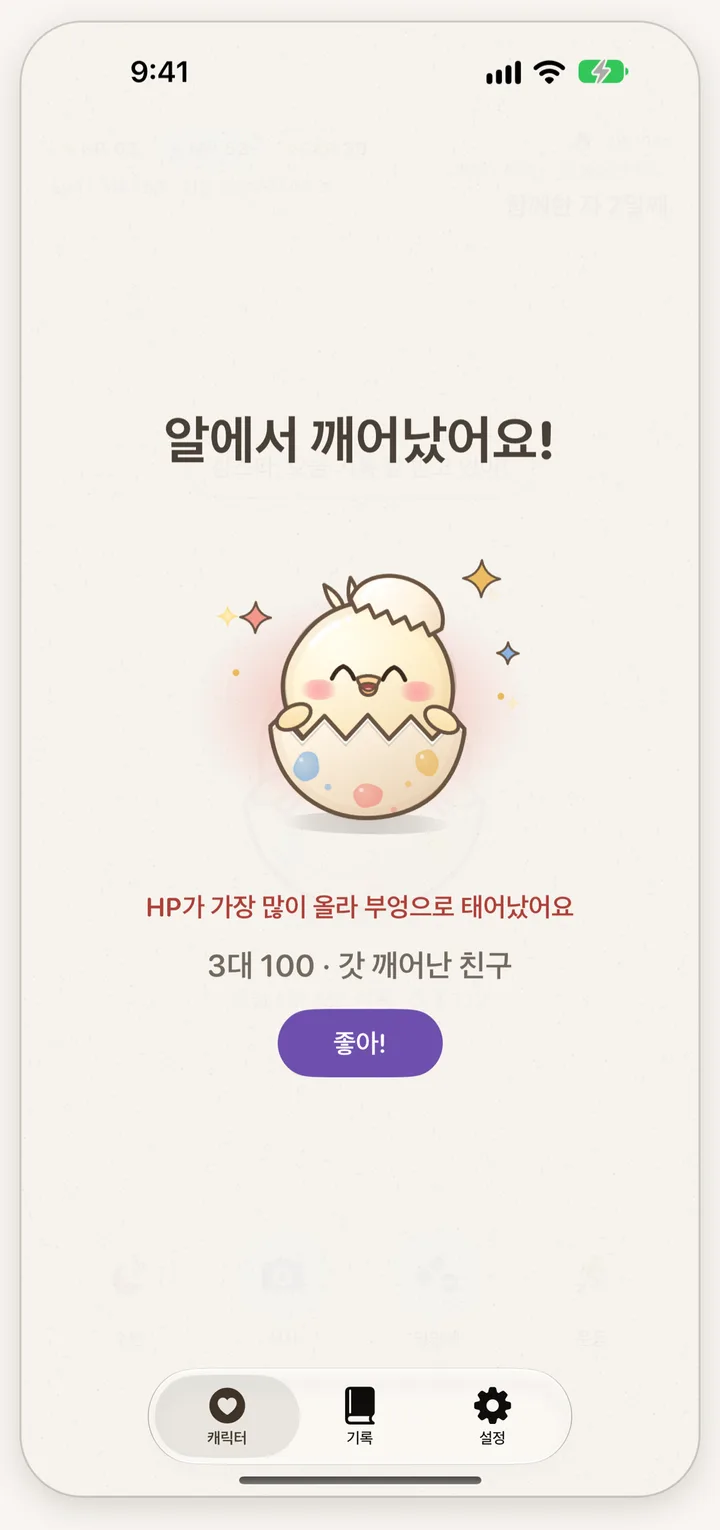
Hatches at 100
Everyone starts with the same egg. When the total first reaches 100, it hatches as Bueong, Mochi or Pongpong, depending on your highest stat.
Grows and evolves
It grows every 100 points and evolves at 500, reaching Lv.2. After that it levels up every 500 points and its level badge changes.
Badge collection
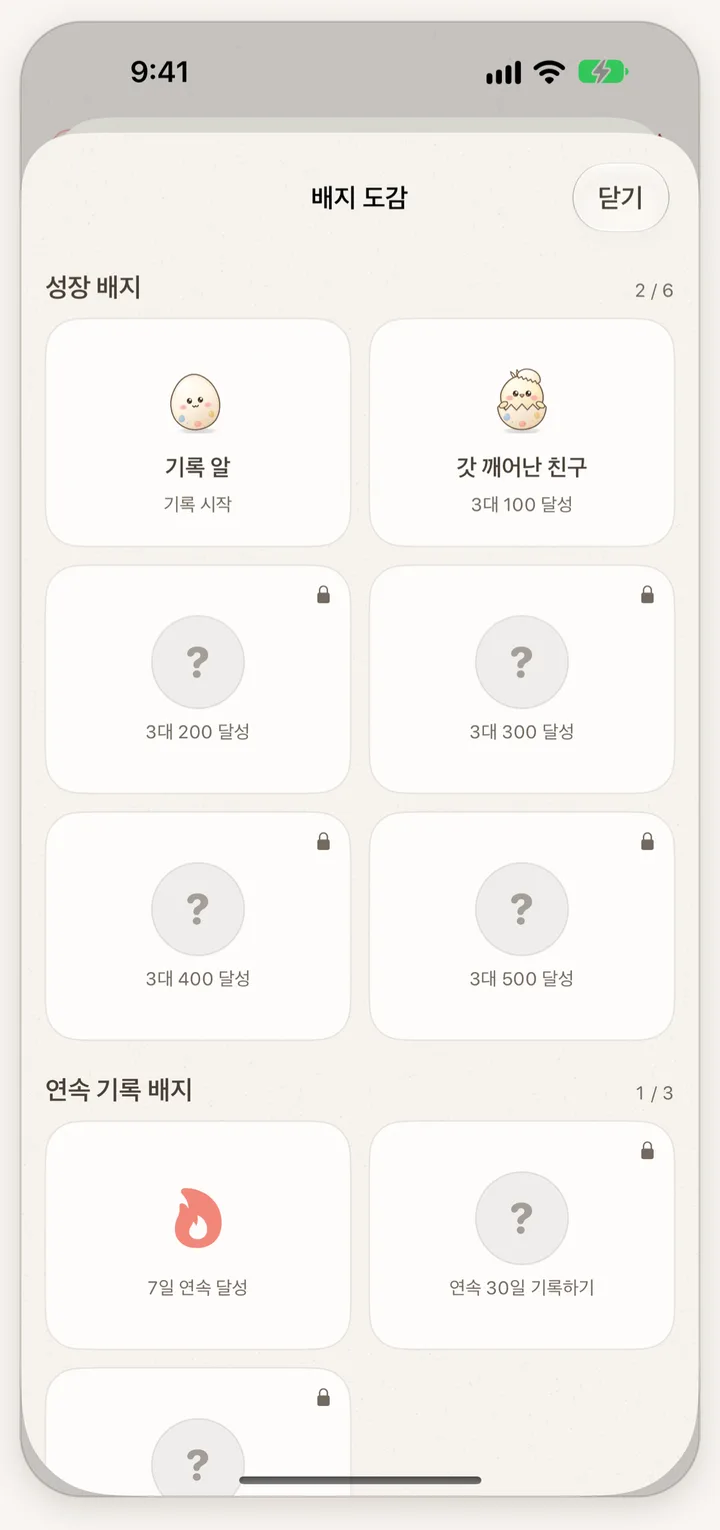
Collect six growth badges and streak badges for 7, 30 and 100 days in a row.
Instant feedback
Saving a record gives a haptic tap and a short sound, and a reward animation plays when a stat rises. Sound and haptics can be turned off in Settings.
A look at the app
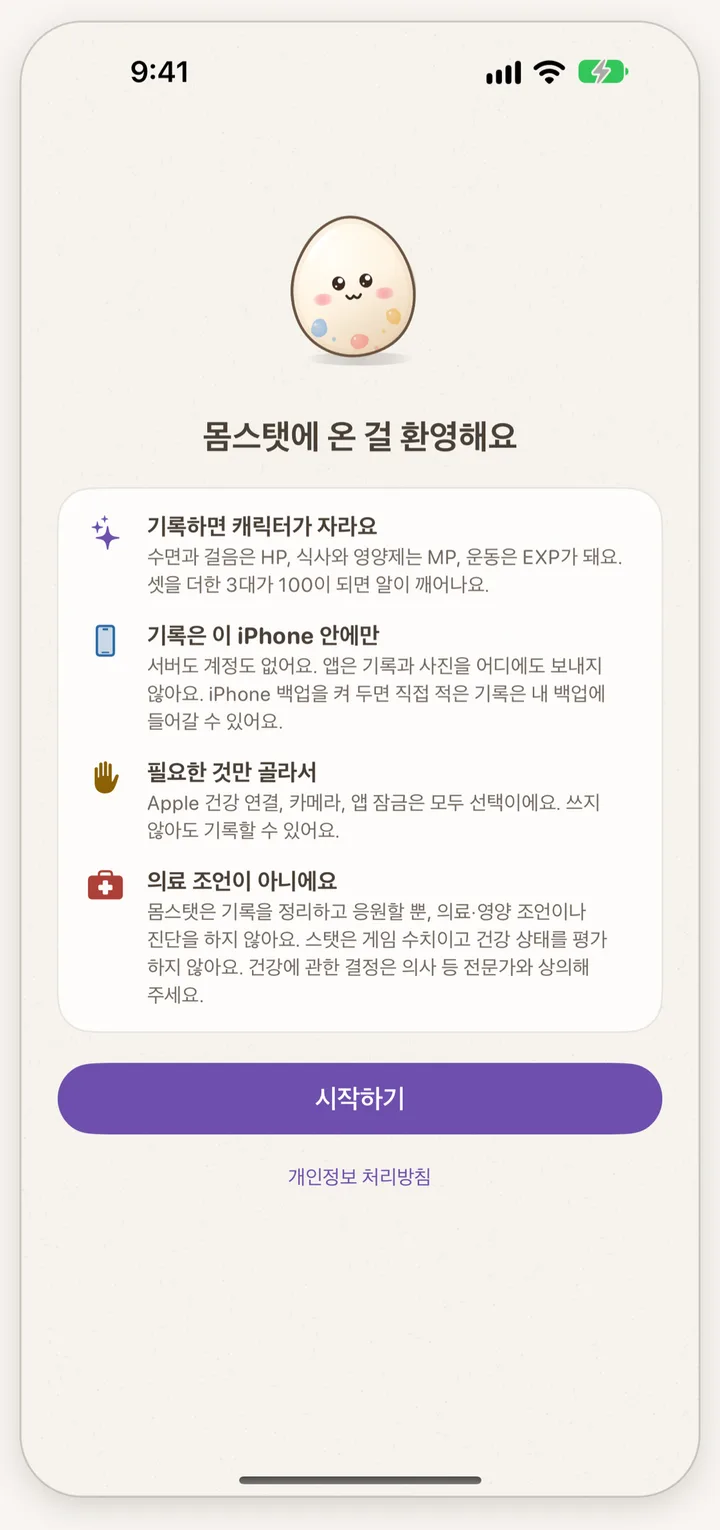
Real screens of the app, captured on the iOS simulator with example records. The interface is in Korean.
No server. Stored on this iPhone
There is no developer server, so your records are never sent to the developer or anywhere else. The developer cannot see them either.
No account
No sign-up and no log-in. It works right after installing, even without an internet connection.
Recognition on the device
Meal names and supplement labels are recognized on the iPhone only. Meal photos stay on the iPhone and are left out of backups; label photos are not saved.
Apple Health is optional
When connected, it reads sleep, workouts and steps, works out daily totals on the iPhone and keeps only those totals. It is read-only, and totals count toward stats from the day you connect. Disconnecting deletes the imported totals.
App lock
You can lock the app with Face ID (or Touch ID). If that fails, the device passcode opens it.
There is no sync between devices, and deleting the app deletes the records on that iPhone. If iPhone backup is on, the records you typed in can be included in your own backup (that is iOS backup, not something the app sends).
Before you download
Is it really free? Any subscriptions or ads?
AnswerIt is free, with no subscriptions, in-app purchases or ads.
Which iPhones can use it?
AnsweriPhones with iOS 26 or later. It is available only on the Korean App Store, and the app is in Korean.
Does a photo give me the meal’s name?
AnswerAutomatic meal names work only on iPhones with iOS 27 or later that can use Apple Intelligence. A guessed name can be wrong, so you can edit it. On other devices the photo is saved and you type the menu yourself. It does not count calories or nutrients.
Do I need to connect Apple Health?
AnswerNo. You can raise your character by logging meals, supplements, exercise and sleep yourself. Only steps require Apple Health.
What happens to my records if I change iPhones?
AnswerThere is no sync between devices, and deleting the app deletes the records too. If iPhone backup is on, the records you typed in can be in that backup.
Does it give health advice?
AnswerNo. Momstat organizes your records and cheers you on. It gives no medical, nutrition or supplement advice, diagnosis or treatment, and it does not recommend supplements.
Start with one record today
The egg starts growing from your first log.