Hello! Today I want to cover a message that comes up fairly often in day-to-day SAP FI work: the special G/L message when entering an invoice in FB60.
Recently, while entering a vendor invoice in SAP FB60, I got the message below.
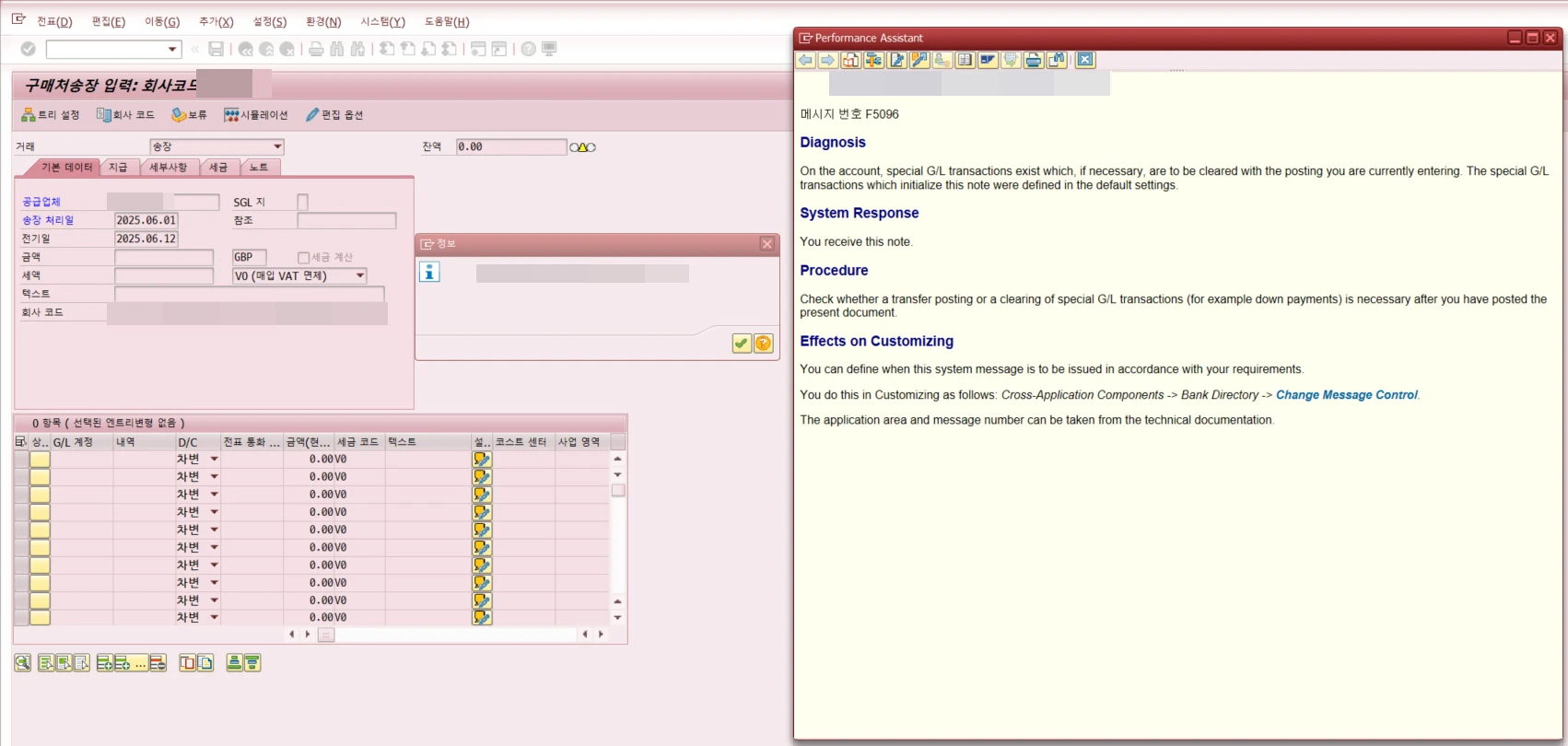
XXXXXXXXXXXXXXXXXXXXXXXXXXXXXXX. (Message no. F5096)
Here I share, step by step, why this message appeared and how I resolved it. I hope it helps anyone doing similar work.
Why the message appears
When you enter a vendor invoice, SAP automatically checks the vendor's open items, including special G/L items. If a special G/L balance exists, the system notifies the user with message F5096.
The message is simply an informational notice that special G/L items remain, and it normally does not block entry.
In practice, though, many people are thrown by it: "Everything has already been cleared, so why am I seeing this?"
A closer look at the cause
In my case, the documents had already been processed correctly, as follows.
- Payment document (special G/L) created
- Clearing document created and the full amount offset
Normally SAP should no longer recognize a special G/L balance in this situation.
Yet F5096 still appeared the moment I entered the vendor in FB60.
Root cause: the balance carryforward was not run
In the end, the problem was that during balance carryforward, the vendor balance carryforward (F.07) had not been executed.
When you enter an invoice in FB60, SAP always checks the vendor's current special G/L balance.
But if the carryforward is not run, the deposit balance left over from the previous year is still treated as open in the system.
In other words, from the system's point of view there is still an open deposit item for that vendor, so it raises F5096.
Solution: run the F.07 balance carryforward
To fix the problem, I did the following.
- T-code: F.07 (Vendor/Customer Balance Carryforward)
- Enter the fiscal year to carry forward from (e.g. 2024)
- Enter the fiscal year to carry forward to (e.g. 2025)
- Be sure to check the "include special G/L items" option
👉 Once the carryforward runs correctly, the message no longer appears when you enter an invoice in FB60.
Reference: a case from the SAP Community
While reviewing this case, I found that many similar cases have been reported in the SAP Community.
Down Payment Message - SAP Community
The SAP Community discussion likewise explains that this happens when the F.07 balance carryforward has been missed.
Summary and practical tips
- Special G/L items must be included when you run the F.07 balance carryforward.
- The most common mistake is forgetting the special G/L checkbox during the carryforward.
- If the carryforward is skipped, F5096 keeps appearing whenever you enter vendor invoices in FB60, F-43 and so on.
- As a temporary measure, you can also soften the message type of F5096 in SAP message control (switch W → I).
Conclusion
This reminded me once again that in SAP FI, the carryforward is not just a closing formality; it is an important process that directly affects the next year's work.
If you are struggling with F5096 when entering invoices in FB60, I recommend checking the status of your F.07 balance carryforward.