The page is https://notes.example, and the save URL is https://api.example/notes. Saving a title sends a POST with JSON. The console can show a CORS error while the API log has no POST. The reverse happens too: the log shows a saved note, and the script still cannot read the response body. Those two results are not the server rejecting the same thing.
The hosts, the token string example-token, and the title “milk” are fictional. The Korean diagram translates that same title. This article was not written by sending the request or collecting a server log.
A different origin keeps the response from script
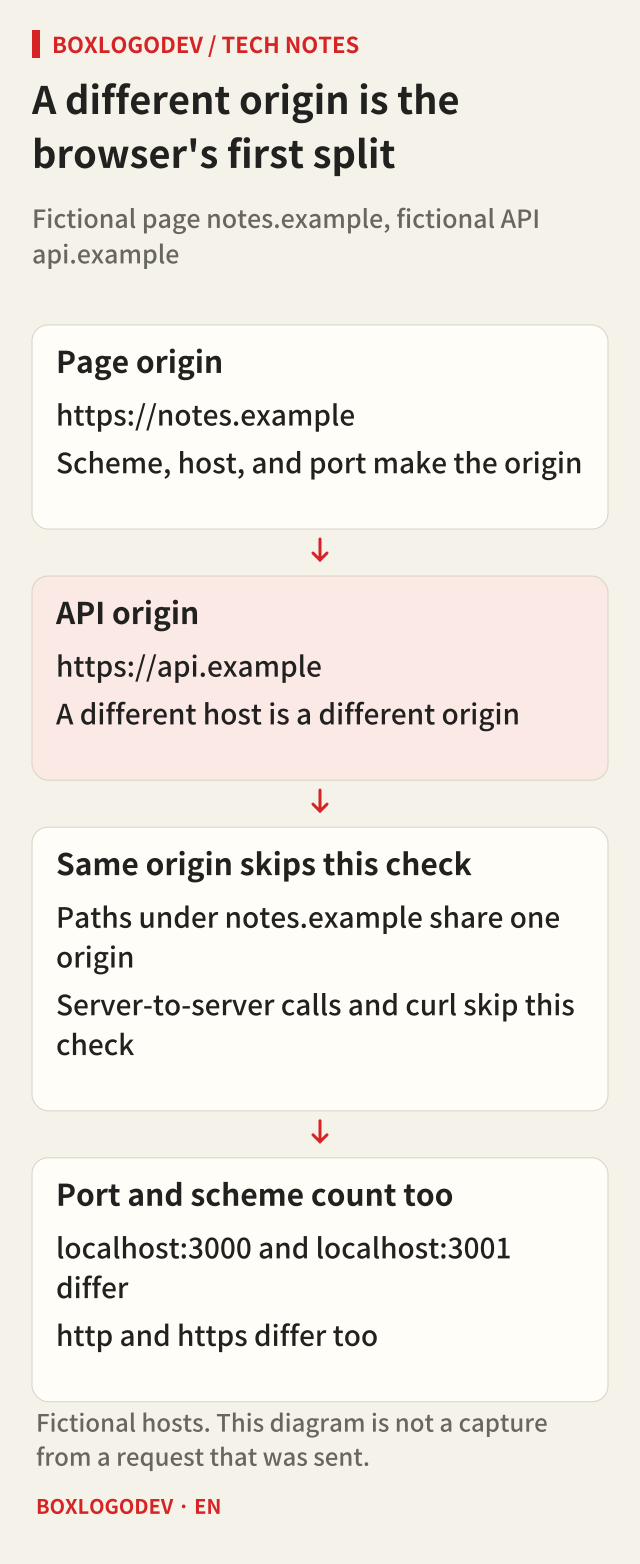
An origin is scheme, host, and port together. https://notes.example and https://api.example differ by host. So do http and https, and localhost ports 3000 and 3001. The path is not part of the origin.
A same-origin fetch skips this check. A fetch started from a URL string uses CORS mode on another origin. Until the response allows this page's origin, script cannot read the body. The browser does the check. curl and a server-to-server call do not. A 200 from curl is not permission for script to read the body.
JSON and Authorization make OPTIONS go first
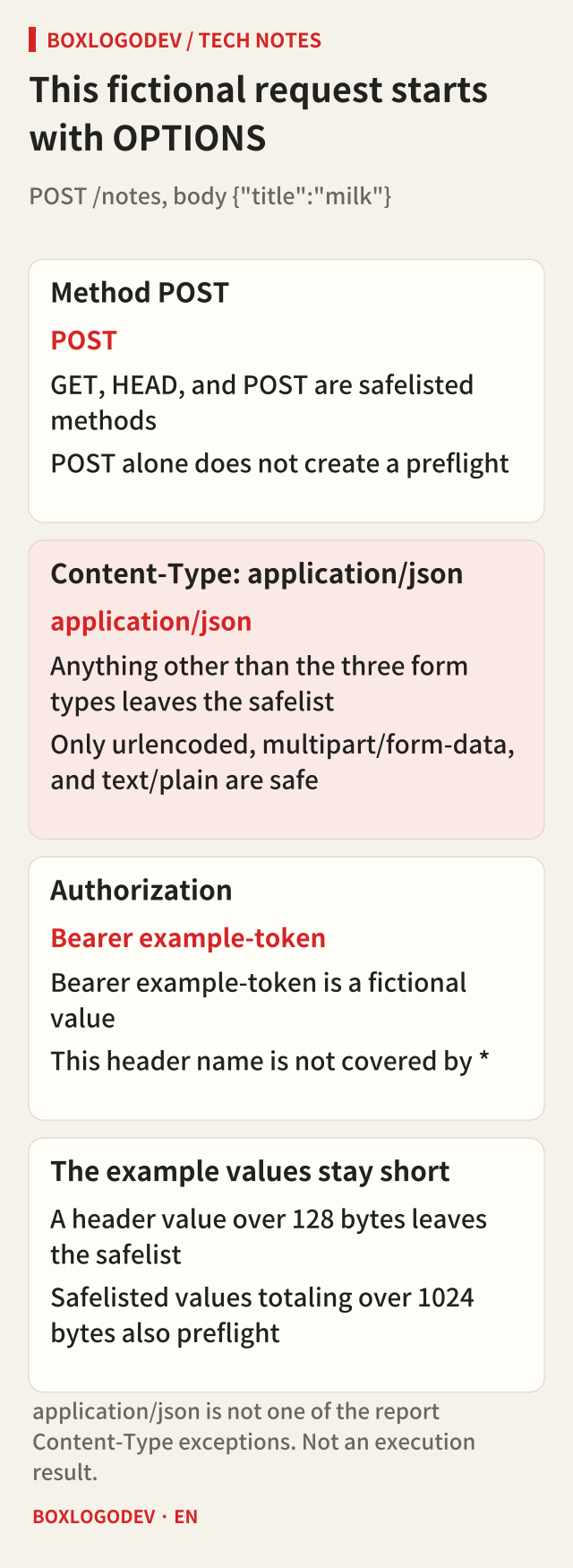
The conditions older guides called a simple request are still there. The Fetch standard does not use that name. It decides from the method and the headers. GET, HEAD, and POST with safelisted headers go out without a preflight. Whether script may read the response is a separate check.
The safelisted names are Accept, Accept-Language, Content-Language, Content-Type, and Range. Content-Type is safe only when the parsed type is application/x-www-form-urlencoded, multipart/form-data, or text/plain. application/json is not on that list, and it is not one of the report exceptions. Range is safelisted only as a single range with a start, such as bytes=256-.
The fictional request is POST /notes, Content-Type application/json, Authorization Bearer example-token, and the body {"title":"milk"}. POST is a safelisted method, so the headers create the OPTIONS. A value over 128 bytes, or safelisted values totaling over 1024 bytes, also requires a preflight. This example assumes shorter values.
The browser does not send POST until OPTIONS passes
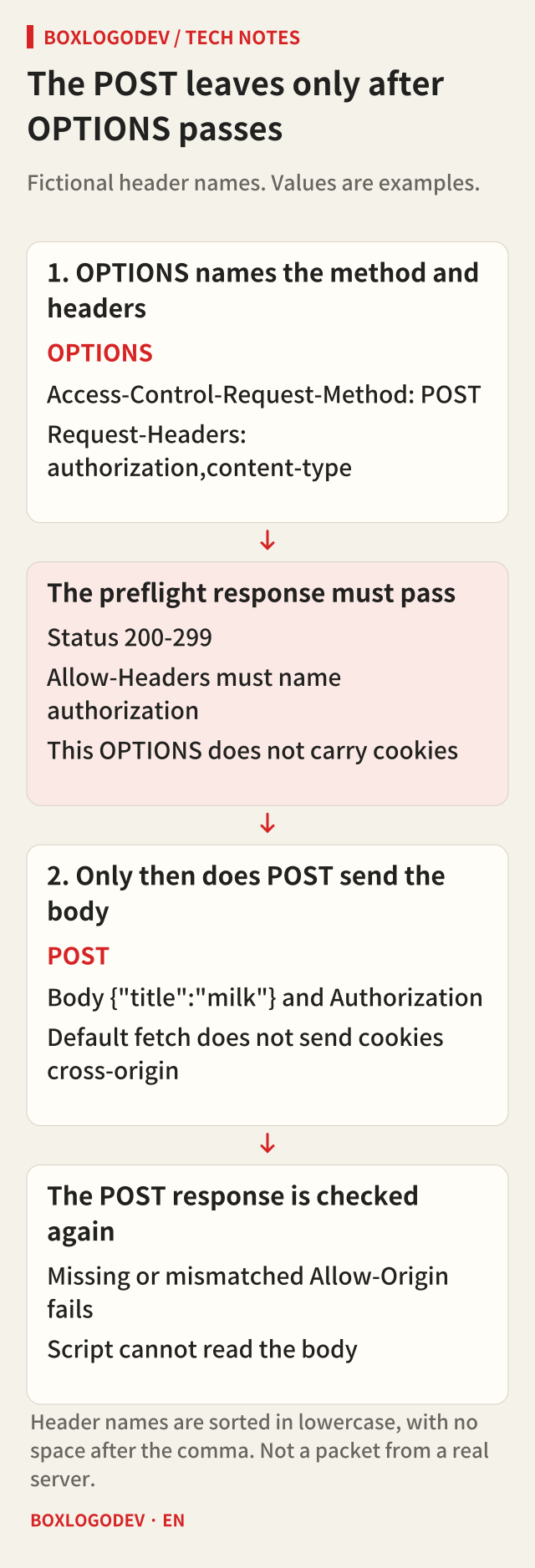
When the request qualifies, OPTIONS goes to the same URL first. Access-Control-Request-Method is POST. Access-Control-Request-Headers joins the unsafe names in lowercase with a comma and no space. Here that value is authorization,content-type, and those headers are not attached again to the POST.
The preflight credentials mode is always same-origin, so a cross-origin preflight carries neither cookies nor HTTP authentication. A later request can include cookies. OPTIONS does not send them ahead.
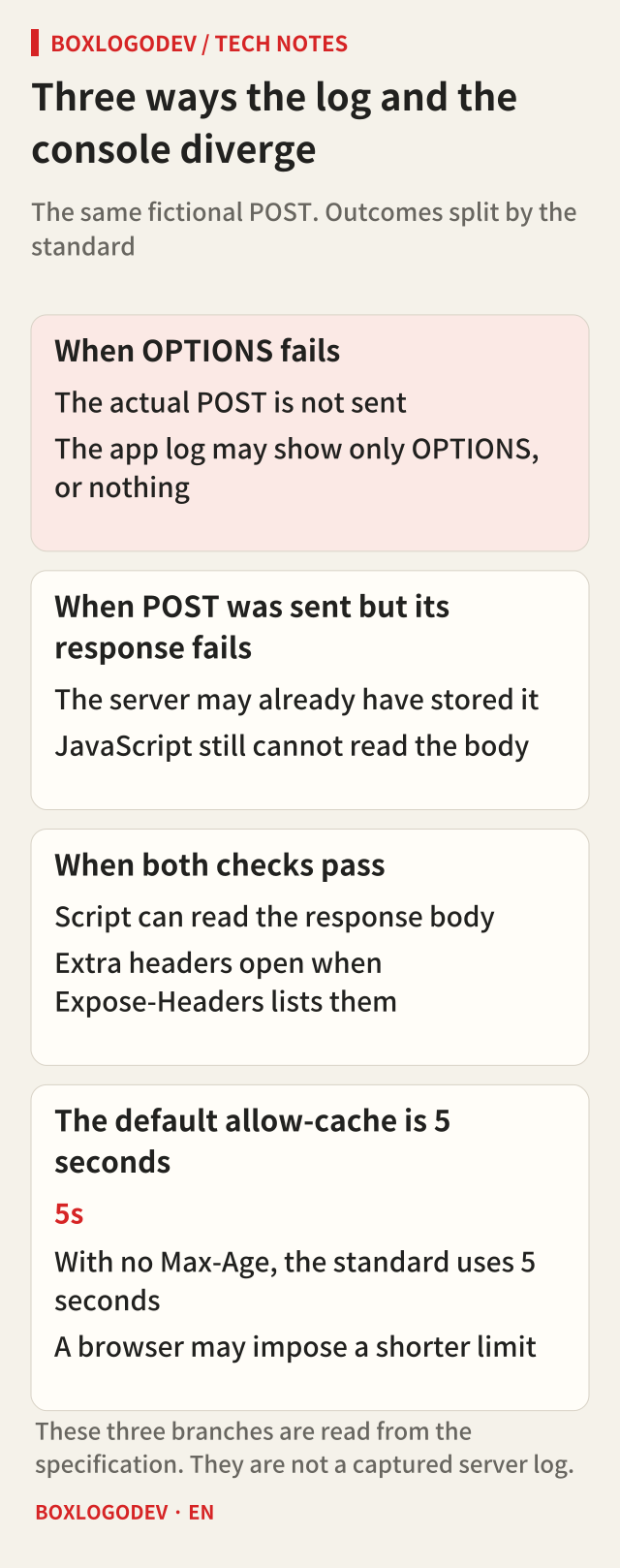
The preflight continues only when the status is in the 200 range and the CORS check passes. A 401 or 404 fails even with Access-Control-Allow-Origin, and then the real POST is not sent. That is one reason a log can lack a POST. If OPTIONS is dropped before the app, the log can be empty. An empty log does not by itself mean the browser sent nothing.
Allow-Headers has to include the name authorization. That header is not covered by *. content-type can be covered by * when credentials are not included. PUT, DELETE, and PATCH are not safelisted methods, so Access-Control-Allow-Methods has to allow the method. Without credentials, * in that list can stand in for the method.
A POST can arrive and still be unreadable
After the preflight, the POST carries the body and Authorization. The default fetch credentials mode is same-origin, so cookies are not sent cross-origin. Cookies require credentials set to include.
The POST response is checked again. A missing or mismatched Allow-Origin fails. For a request that is not include, * passes. With include, the value must equal the request origin, Allow-Credentials must be the case-sensitive true, and * does not stand in for names in Allow-Origin, Allow-Headers, or Allow-Methods. On failure, script cannot read the body, and the browser does not say whether the server already stored the POST. That failure does not undo a save.
The response headers script can read by default are Cache-Control, Content-Language, Content-Length, Content-Type, Expires, Last-Modified, and Pragma. Other names belong in Access-Control-Expose-Headers. Without credentials, * can stand in for that list. Set-Cookie and Set-Cookie2 stay hidden from script.
With no Access-Control-Max-Age, the allowed methods and headers are cached for 5 seconds. A browser may impose a shorter limit and may drop the entry earlier. 86400 does not promise that tomorrow's call skips the preflight. Entries are separated by origin, URL, and whether credentials are included.
A console line does not replace the server log
Script cannot read why CORS failed. The missing header belongs to the console. How far the request got belongs to the method the server received.
Write down both origins, whether the call is POST with application/json and Authorization, whether credentials is include, the OPTIONS status, whether POST arrived, and the response Allow-Origin. With include, look first for a * Allow-Origin and a missing Allow-Credentials.
A redirect to another origin drops Authorization. Following a redirect after a preflight can still differ by browser, and this article did not re-run that difference.
When only the console fails, do not start from the idea that the server rejected the POST. First separate an OPTIONS failure that never sent POST from a POST that was handled without the headers script needs in order to read the response.
Add your perspective.
Share a question, another approach, or something you have tried.
Checking sign-in…
Loading comments…