A SELECT with FOR ALL ENTRIES IN @itab drops its entire WHERE condition when the driver table itab is empty. Not only the comparisons with the driver table disappear, but also any date or status conditions written in the same WHERE. After reading this you will be able to find where this gap is open in your code, decide where the guard belongs, and decide what the result table should hold when the guard stops the query. We will also look at a second trap that shrinks the result even when the driver table has rows.
The example uses the flight tables SPFLI and SFLIGHT from SAP's keyword documentation examples, filled with fictional values. The carrier codes ZA and ZB, the input ZZZ, the dates and the amounts are all invented, and the code was not run on a real system. The behaviour comes from SELECT, FOR ALL ENTRIES in the ABAP Keyword Documentation (latest edition, AS ABAP 816) and the same entry in the 7.50 edition.
What is ignored when the table is empty?
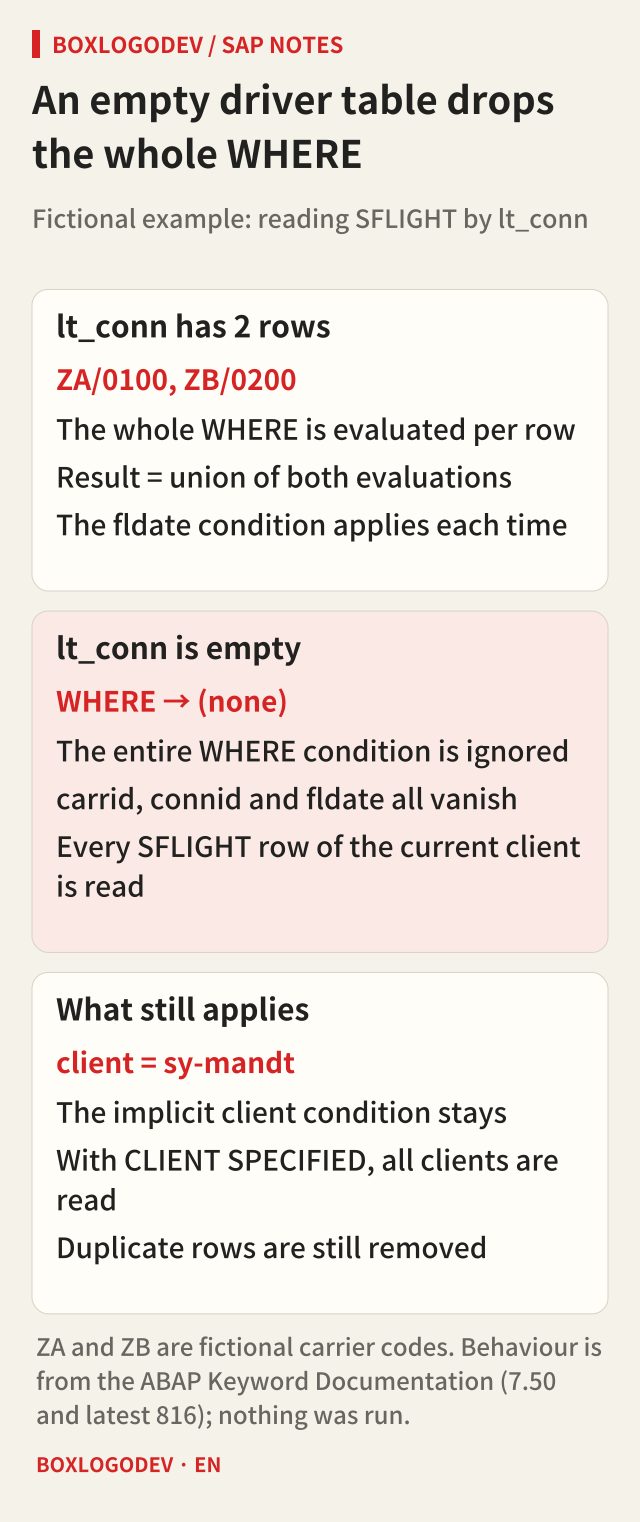
Start with the normal path. Suppose the driver table lt_conn holds two rows, ZA/0100 and ZB/0200. FOR ALL ENTRIES evaluates the whole logical expression of the WHERE once per row, and the result set is the union of those evaluations. The fldate >= @p_from written next to the carrid and connid comparisons is applied each time, so only flights on or after the cut-off date for the two routes come back.
Now suppose the user enters the fictional departure city ZZZ and the first SELECT finds no route. lt_conn is empty. The documentation warns that in this case the entire WHERE condition is ignored. No row is skipped, and after duplicates are removed every row of the table goes into the result. The fldate condition has nothing to do with the driver table, but it sits in the same WHERE, so it goes too. The hope that “there is one more condition, so it will be fine” fails right here.
Some things do not disappear. With implicit client handling on, the condition for the current client (or the client named with USING CLIENT) stays, so the read is limited to that client's data. It is different if implicit client handling was switched off with the obsolete addition CLIENT SPECIFIED and a condition on the client column was written into the WHERE. That condition is part of the WHERE as well, so it is ignored with the rest, and data from all clients is read.
When the result shrinks even though the table has rows
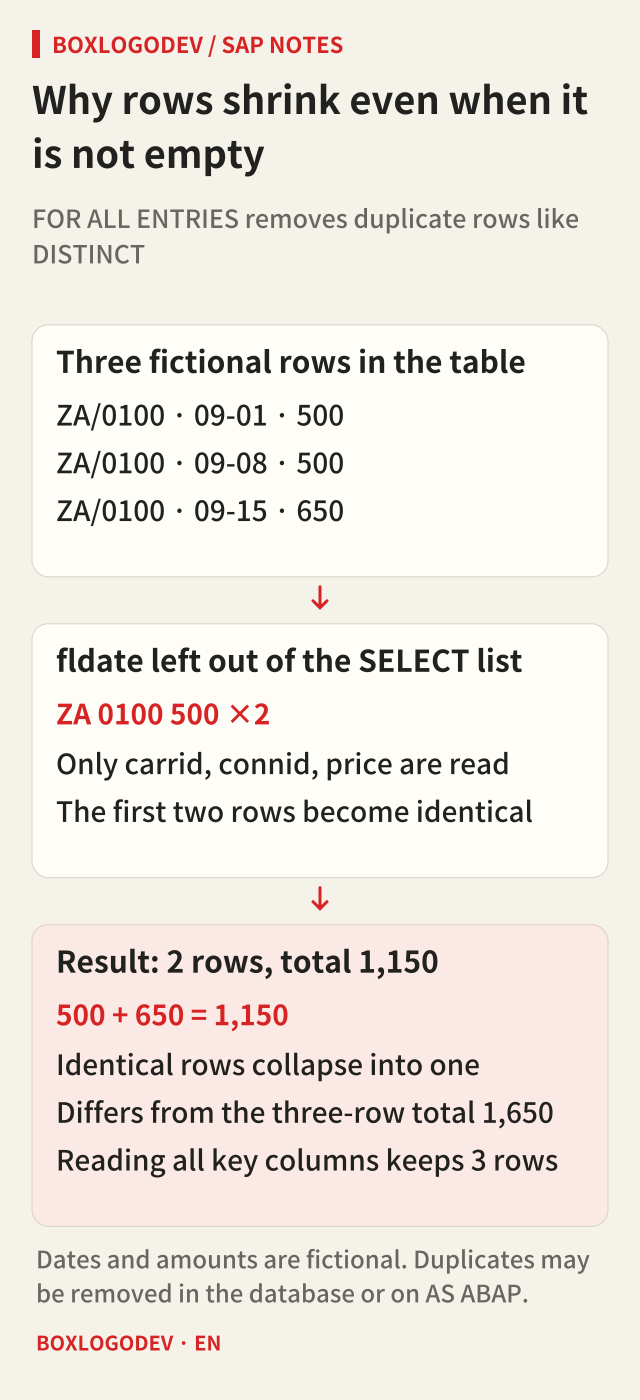
FOR ALL ENTRIES automatically removes rows that occur more than once in the result, comparing the entire content of each row read. The documentation says this has the same effect as specifying DISTINCT in the selection. That is why the result does not double when the driver table contains the same route twice.
The trouble starts when you add things up. Suppose the fictional SFLIGHT holds three rows for route ZA/0100: 500 on September 1, 500 on September 8 and 650 on September 15. If the SELECT list leaves out fldate and reads only carrid, connid, price, the first two rows become identical and only one remains. The result has two rows, and the amounts total 1,150 instead of 1,650. Reading all the key columns that tell rows apart keeps all three.
Where duplicates are removed is not fixed either. If the statement can be passed to the database as a single SQL statement, the database removes them; if it has to be split into several SQL statements, AS ABAP collects the rows and removes them. In the second case, PACKAGE SIZE, UP TO and OFFSET are applied only after all matching rows have been placed in an internal system table, so they do not reduce the number of rows sent from the database. If that system table exceeds its maximum size, a runtime error occurs. Combined with an empty driver table, a whole table can end up taking this path.
Where does the guard go, and what happens when it stops the query?
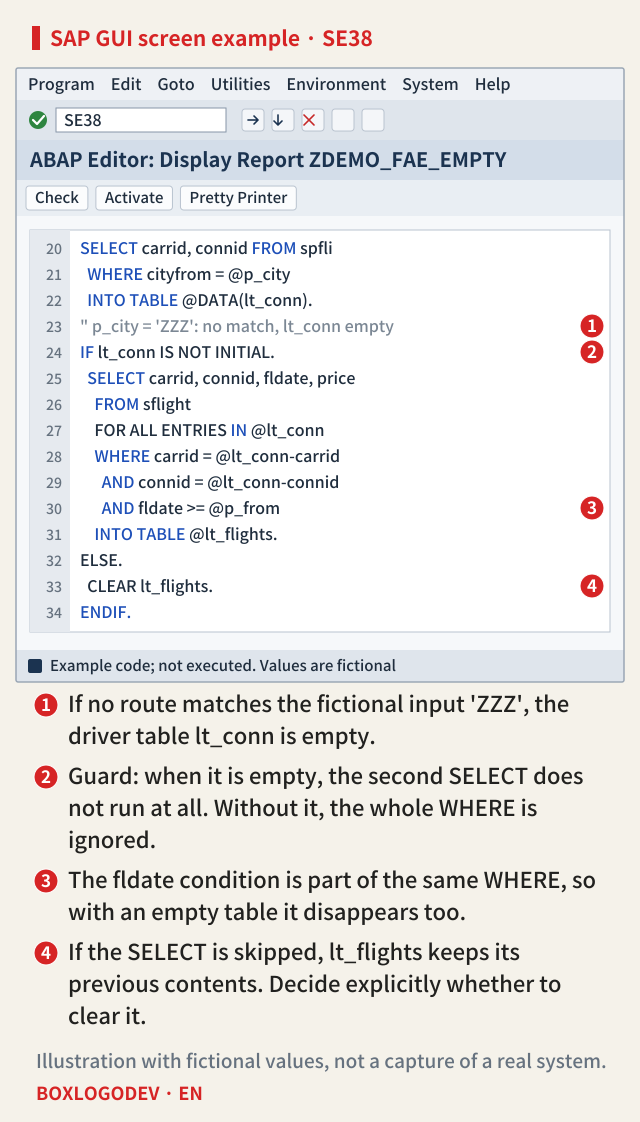
The documentation's advice is short: before using an internal table after FOR ALL ENTRIES, check that it is not initial. When a guard exists and things still go wrong, the cause is usually its position. If a DELETE or a filter sits between the guard and the SELECT, the table can become empty after passing the guard. Put the guard directly before the SELECT, after the last change to the driver table.
When the guard skips the SELECT, INTO TABLE never runs, so the result table keeps its previous contents. In code that reuses the same result table inside a loop, rows from the previous pass remain. Decide explicitly in the ELSE branch whether to clear it. The numbers on the example screen below follow this order.
The documentation mentions two more behaviours worth knowing. The driver table is evaluated once per query, so changing its content inside a SELECT loop does not affect the condition. The same internal table may also appear after both FOR ALL ENTRIES and INTO; it is evaluated as the condition first and then overwritten by the result. The documentation example adds that the same selection could be done with a single join in the FROM clause. Where the column types allow it, adding DISTINCT makes the duplicate removal visible in the code.
What differs by release
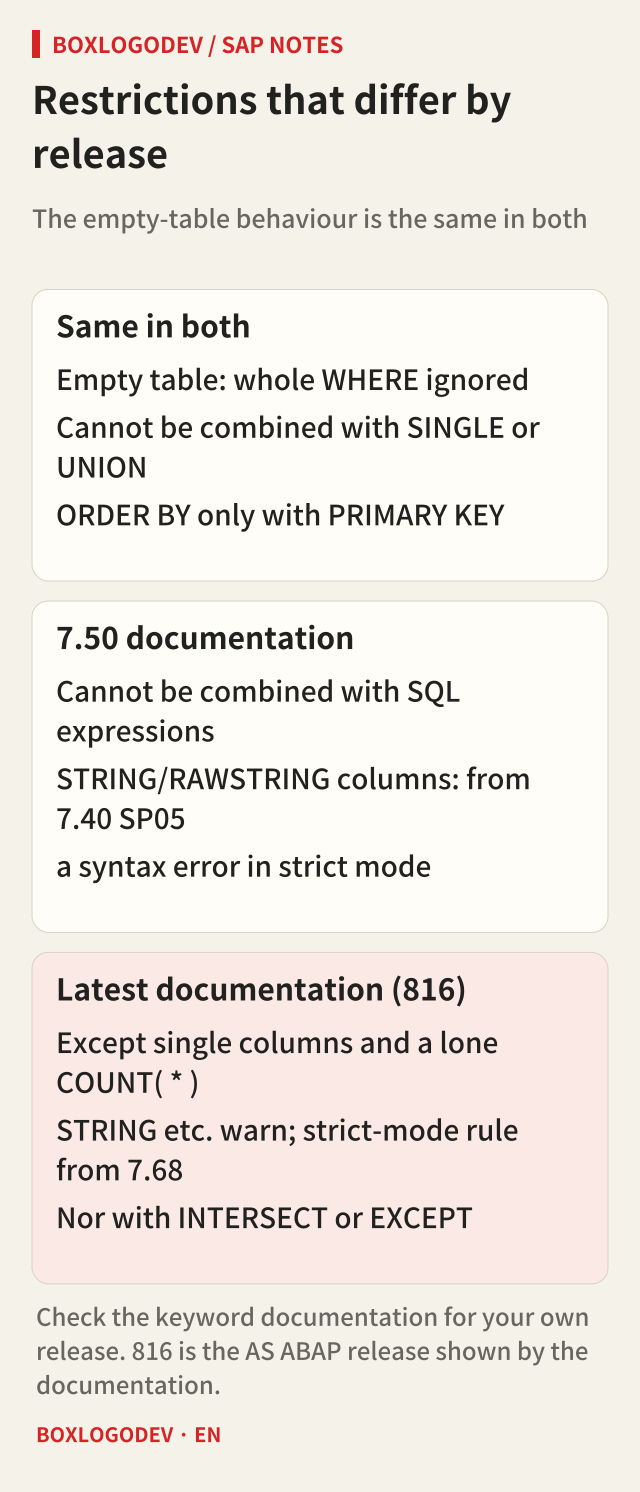
The sentence that an empty table means the entire WHERE is ignored appears in both the 7.50 documentation and the latest edition. So do the restrictions that it cannot be combined with SINGLE and that ORDER BY is allowed only with PRIMARY KEY on a single table or view.
Some things did change. The 7.50 edition says FOR ALL ENTRIES cannot be combined with SQL expressions, and that STRING, RAWSTRING, LCHR and LRAW columns in the SELECT list are a syntax error in strict mode from 7.40 SP05. The latest edition (816) makes individually specified columns and a lone COUNT( * ) exceptions to the SQL expression rule, treats those long-type columns as something to avoid with a syntax check warning, and gives 7.68 as the release from which this combination is checked in strict mode. INTERSECT and EXCEPT have joined UNION in the list of additions it cannot be combined with. The safe course is to read the edition that matches your system's release.
Four things to check in your code
When reviewing an existing program, look at four things wherever FOR ALL ENTRIES appears. First, is there a guard that checks whether the driver table is empty directly before the SELECT? Second, does the code say whether the result table is cleared or kept when the guard stops the query? Third, if a column will be totalled or counted, are the key columns that tell rows apart in the SELECT list too? Fourth, is CLIENT SPECIFIED used? If the fourth answer is yes, an empty driver table reads not one client but all of them.
If you remember only one thing, make it this: the WHERE of a FOR ALL ENTRIES exists only while the driver table has rows. When the table is empty, however many conditions you wrote, it is as if there were none.
Add your perspective.
Share a question, another approach, or something you have tried.
Checking sign-in…
Loading comments…