Day-to-day SAP development here uses Claude Code with ADT: read and change source, and query tables with SQL. ADT reaches objects. Opening a transaction, entering values, and running something like automatic payment in F110 still happened in SAP GUI, with a person at the keyboard.
SAP GUI Scripting was added for a later goal, turning a task into a manual of screens and steps. On the day the setup was checked, a payment question from a colleague abroad was already waiting. The first real use became one day of production display, a QA recreation, a payment run, and a corrected guide. Company name, system IDs, personal names, document numbers, and amounts are left out.
- A person logs on. The agent attaches only to that open SAP GUI session. The password never passes through the agent.
- Production was display only. Writes stayed on one QA client chosen in advance.
- Five analysis passes got the cause right and the procedure wrong. The guide matched the system only after the screens were opened in QA.
The agent attaches to a GUI a person already opened
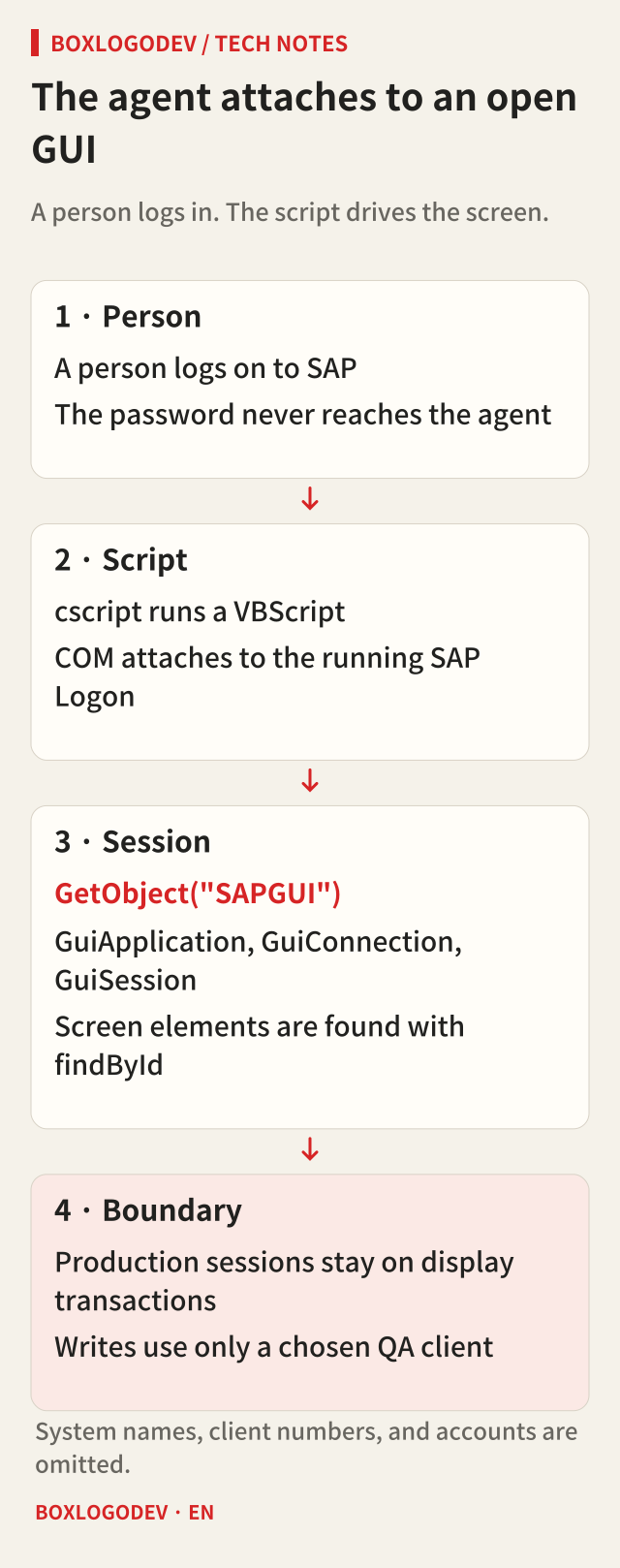
The setup is small. Claude Code runs a VBScript through cscript, and the script attaches to the running SAP Logon with COM. The objects are GuiApplication, GuiConnection, and GuiSession. Screen elements are found with findById.
Set app = GetObject("SAPGUI").GetScriptingEngine
For Each conn In app.Children
  For Each s In conn.Children
    WScript.Echo s.Info.SystemName & "/" & s.Info.Client
  Next
Next- I log on. The agent only looks for a session that is already open. Account details are not handed over.
- This PC had no Python
pywin32, so the scripts stayed in VBScript and ran without an extra install. - On a Korean Windows console,
cscriptprints in CP949 and Korean comes out broken. Results were written as UTF-8 withADODB.Stream, and the agent read that file. - Values changed through the GUI were checked again with ADT SQL. A “saved” message on the screen was not treated as proof.
Scripting has to be on at the server and the client
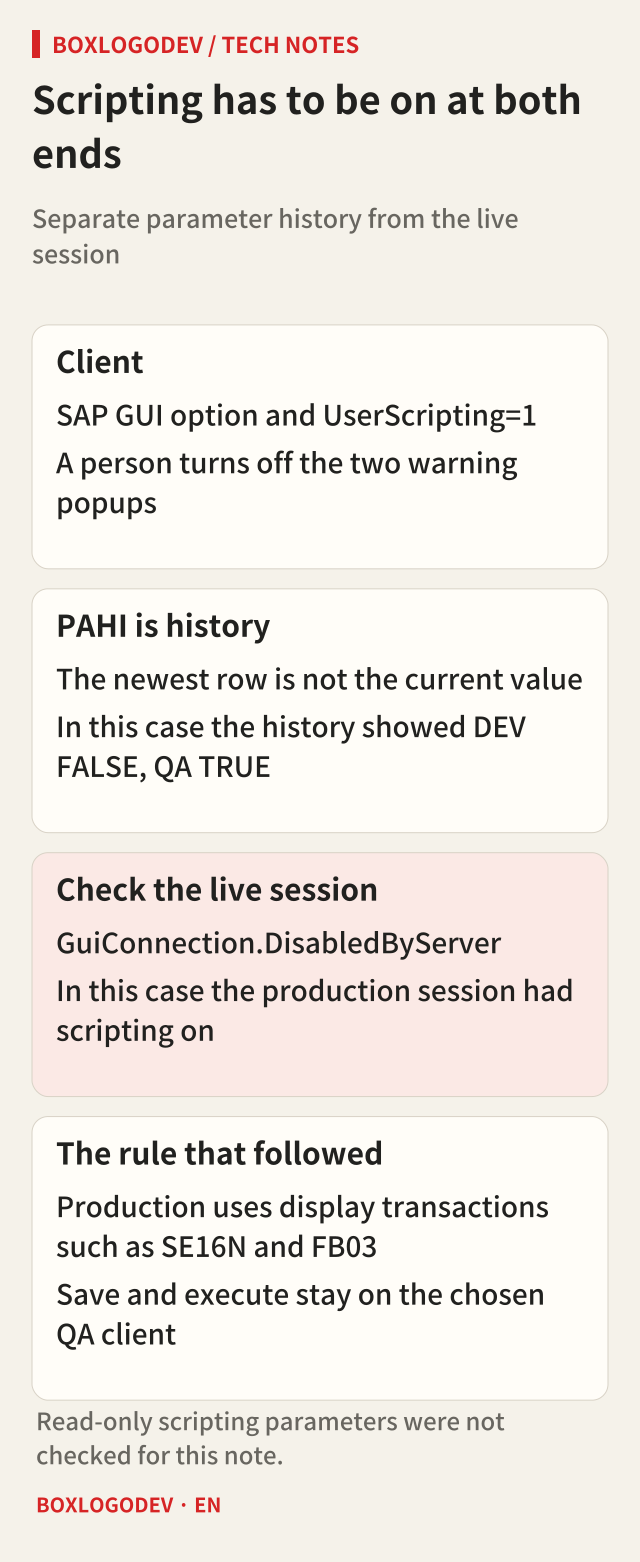
On the client, scripting is enabled under SAP GUI accessibility and scripting. This PC already had registry value UserScripting=1. The two warning popups that appear when a script attaches were turned off by hand. They are security options, so the agent was not allowed to edit the registry. While a popup is up, the script looks at the wrong window and dies with The control could not be found by id. After a first failure, the popup is the first thing to check.
The server switch is sapgui/user_scripting. ADT could not read the current RZ11 value on screen. The parameter-change history table PAHI can be queried with SQL.
SELECT hostname, pardate, parname, parvalue
  FROM pahi
 WHERE parname LIKE 'sapgui/user_scripting%'
The newest history rows showed development FALSE and QA TRUE. History is not the current value. The last check read GuiConnection.DisabledByServer on the logged-on session. That showed scripting open on the production session as well. Parameters that keep scripting read-only, such as sapgui/user_scripting_set_readonly, were not part of this check.
Scripting on production is convenient and risky. The rule was written down first. In production, only display transactions such as SE16N and FB03 are used. Save and execute are not pressed. Writes happen only on a QA client chosen in advance.
Display-only checks showed where the payment group split
On the day scripting was being checked, a colleague abroad reported that automatic payment (F110) was not picking up a vendor credit memo. The reply named one credit memo and two invoices.
The cause was narrowed in production with display only. The agent read payment-related fields of the three documents in SE16N. The FB03 additional-data screen was opened later, while checking the first answer, and that screen overturned the proposed fix. Along the way the automation hit several GUI traps.
SE16N hides columns. Opening BSEG showed 32 columns out of more than 300. A default ALV layout on the account was still applied after the layout field was cleared. The workaround was BSIK and BSAK, which had no default layout. After that, ColumnCount is read first.
Selection-row numbers are not stable. The SE16N selection table shows 21 rows, and field order differs by table. The script finds the technical name in GS_SELFIELDS-FIELDNAME and types into that row, instead of trusting a row number or a description.
Reading cell by cell is slow. GetCellValue on an ALV grid is one COM round trip per cell. With only a modest number of rows and columns it ran past ten minutes, and other scripts on the same session timed out. The fix was to read only the needed columns and tighten the selection. For an ordinary list such as the F110 log, %pc saves the list to a file and the agent reads the file.
A popup is another window. Additional data in FB03 is wnd[1]. The first capture used wnd[0] and kept only the screen behind the popup.
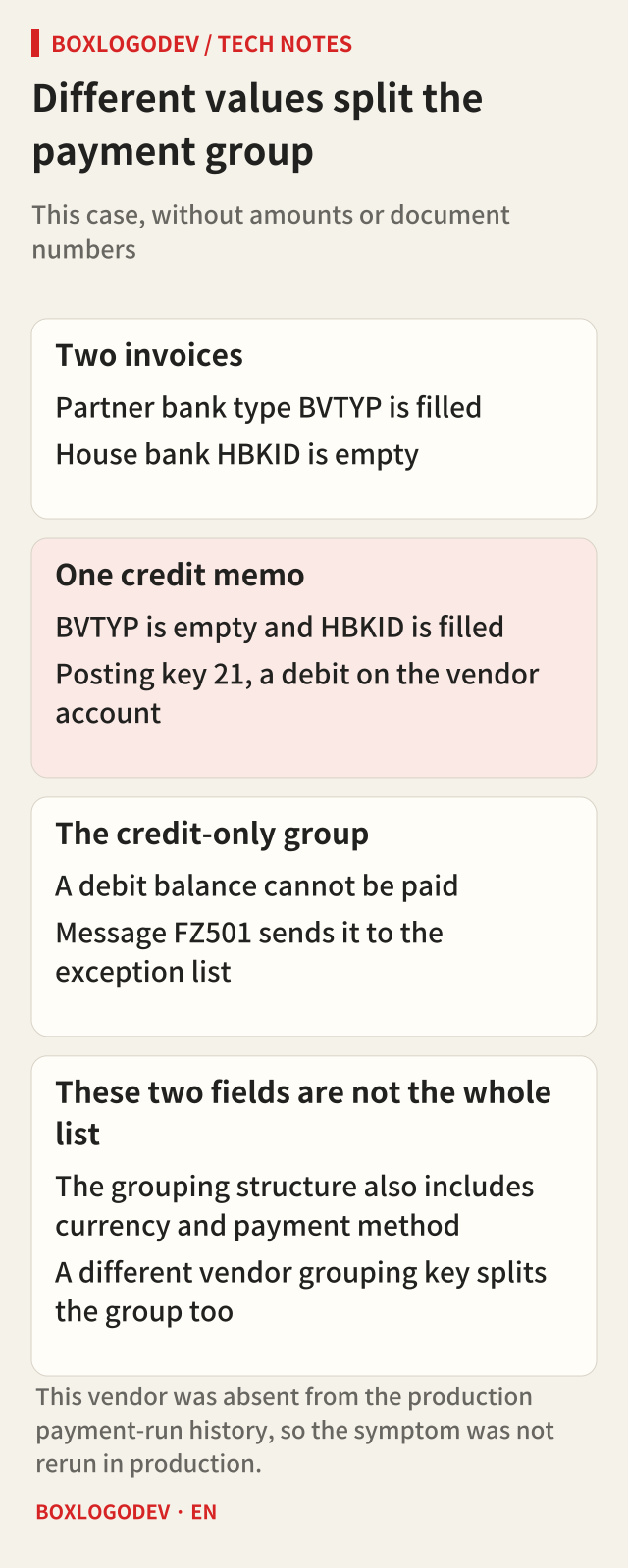
The query results were split across three analysis passes and two reviews. F110 pays open items together only when the fields it uses for grouping match. Those fields include partner bank type (BVTYP), house bank (HBKID), currency, and payment method. A different grouping key on the vendor master splits the group as well. In this case the fields that actually split the items were BVTYP and HBKID.
Both invoices had BVTYP, and the credit memo did not. The credit memo had HBKID, and the invoices did not. Posting key 21 makes the credit memo a debit on the vendor account. A group that contains only that credit memo has a debit balance and cannot be paid. The message is FZ501, “No pymt possible because items with a debit bal. still exist; see job log.” The invoice group remains payable without the credit memo. This vendor did not appear in the production payment-run history, so the symptom was not rerun in production.
If the application server clock is Korea Standard Time (KST), the entry date (CPUDT) is the Korean calendar date. For someone entering documents in US Eastern time, CPUDT becomes the next local calendar day from 11:00 during daylight time (EDT) and from 10:00 during standard time (EST). F110’s “Docs entered up to” compares that entry date, not the posting date. A document entered from that local time on can drop out of a same-day payment run that was set with the local calendar date.
The first answer was wrong in a different place each time
- The draft said to use FB02, fill partner bank type on the credit memo, and clear house bank. Additional data in production FB03 had no such fields. Field status on posting key 21 and on the reconciliation account both hid partner bank type in that system. The fields were absent in FB65 and in FB02. Posting key 21 does not hide them in every system. The instruction could not be followed, and it was removed before the first guide was sent.
- The agent reported that QA had no matching data. ADT SQL sees the logon client of the connection. The data was in another client. Adding
USING CLIENTreturned it. - The first guide said house bank was not a cause, and that the residual item would be posting key 31 so partner bank type could be entered in FB02. QA reversed both sentences.
Cross-checking with five passes still left an inference drawn from production data. The cause was right. The procedure a person could follow was still unchecked until the screens were opened.
Three QA runs separated the causes
Once the script writes, it needs a stop. The QA helper, when loaded, grabs only a session on the chosen QA client and stops immediately if that session is missing. Guard checks system and client again at the start and just before save. That Guard had a hole, described below.
Set session = GetSession(QA_SID, QA_CLIENT)

Sub Guard()
  If session.Info.SystemName <> QA_SID _
    Or session.Info.Client <> QA_CLIENT Then
    Err.Raise vbObjectError + 9, "Guard", "not QA"
  End If
End Sub
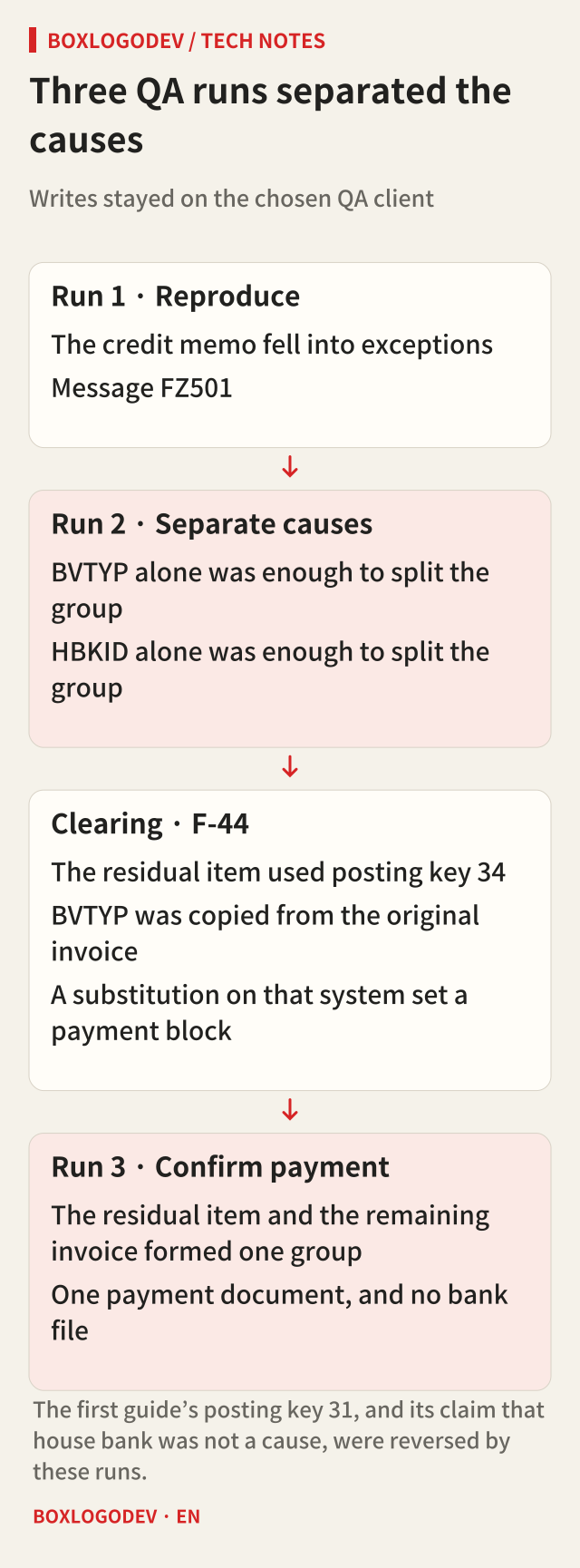
Run 1 reproduced the symptom. Two invoices were aligned in FB02 with the production state, and FB65 posted a posting-key 21 credit memo. The payment tab had no partner-bank-type field, and the database was empty for that value after posting. The F110 proposal left the credit memo out, as reported. It sat alone in an exception group with message FZ501.
Saving the proposal log with %pc stopped on an SAP GUI security window. That window asks whether a file write is allowed, so the agent did not click it. I pressed Allow after the reason was clear.
Run 2 separated the causes. Clearing house bank on the credit memo left only BVTYP different between the credit memo and invoice A. Putting a house bank on invoice B left only HBKID different between invoices A and B. The credit memo was still an exception, and invoices A and B became separate payment groups. Either field alone was enough to split the group. The earlier analysis had treated both fields as causes, but the first guide dropped house bank, and that sentence was wrong.
The fix was clearing in F-44. There was no field in which to type the missing value, so the credit memo and one invoice were cleared first and a residual item was created. The residual item’s posting key was 34, not the 31 in the first guide. Many clearing setups use 34 for a vendor residual credit, but 34 here is the key observed in that QA system. Partner bank type was hidden on that screen as well, and the value was copied from the original invoice. A substitution in that system put a payment block on the new item, so FB02 had to release the block before payment.
Run 3 confirmed payment. The residual item and the remaining invoice formed one group. The payment run posted one payment document. No bank file and no print output were created. If the payment popup showed any checkbox other than start immediately, the script cancelled.
An error in the condition enters Then
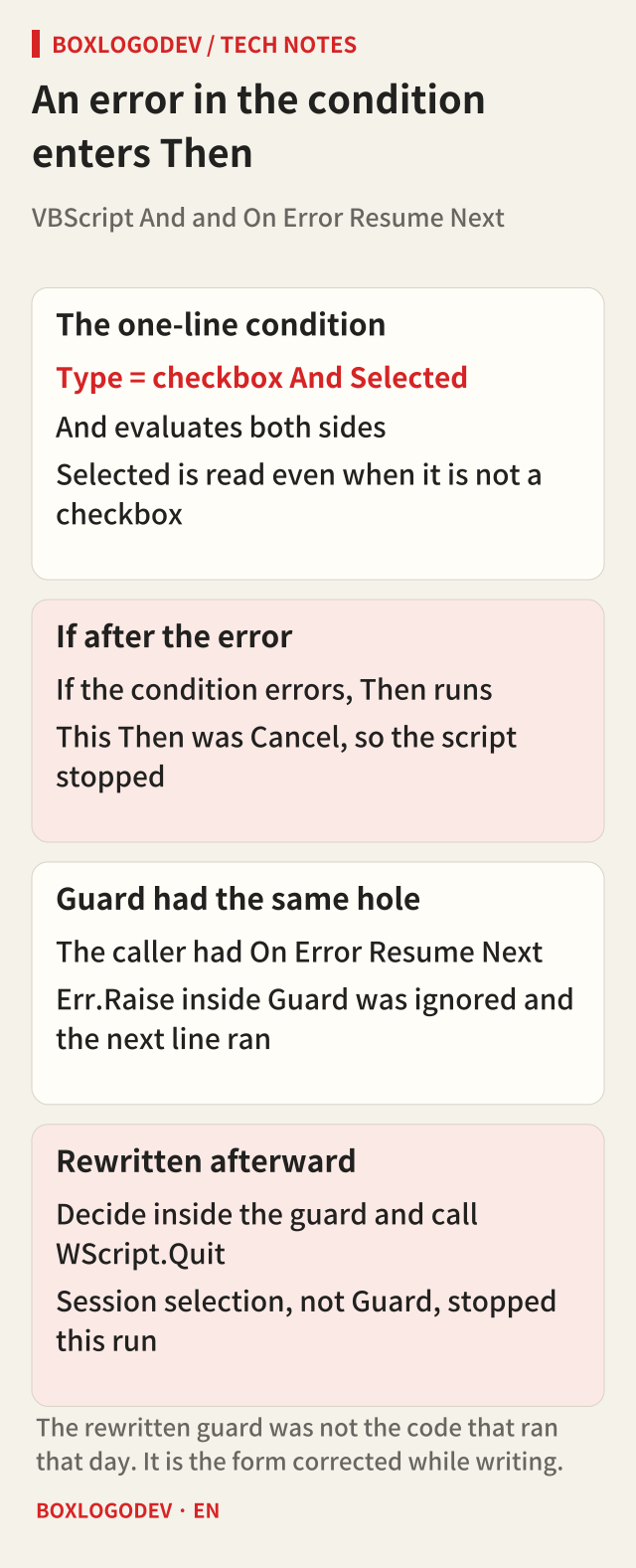
The first payment-run script cancelled itself and stopped. The condition that should abort when a payment-medium checkbox is selected was written on one line while walking the popup’s children. VBScript And evaluates both sides. Reading Selected on an element that is not a checkbox raises an error. Under On Error Resume Next, an error in the If condition enters Then. This Then was Cancel, so the script stopped. A condition that meant “continue” would have passed the check.
The safety check was then rewritten as nested If statements. Instead of “stop when something dangerous is found,” it became an allow-list: stop if anything other than the expected controls is visible.
Rereading the scripts for this article showed that Guard had the same hole. Every write script turned on On Error Resume Next and then called Guard. VBScript error handling is per procedure, so Err.Raise inside Guard is ignored by the caller and the next line, the save, still runs. What protected the system this time was session selection when the helper loaded, not Guard. Error ignoring was still off at that moment, so the error stopped the script.
Rewritten, the guard does not raise. It ends the script itself, and a failed check fails closed. The routine below is not the code that ran that day. It is the form corrected while writing.
Sub Guard()
  Dim ok : ok = False
  On Error Resume Next
  ok = (session.Info.SystemName = QA_SID _
    And session.Info.Client = QA_CLIENT)
  On Error GoTo 0
  If Not ok Then WScript.Quit 1
End Sub
What the person held, and what to check next time
| Person | Agent |
|---|---|
| SAP logon | Find the session, drive the screen, capture |
| Turn off scripting warning popups | Check the registry, PAHI, and DisabledByServer |
| Allow on the SAP GUI security window | Explain the block, then wait |
| Decide to recreate the case in QA | Design the recreation, post, run F110 three times, clear in F-44 |
| Reply to the colleague | Analyze the cause, write the guide, compare the database |
The person’s steps were few, and each one was a logon, a security prompt, or the decision to build the same data in QA and show the screens. The agent had stopped after a wrong report that QA had no data. Without that decision, the wrong sentences in the first guide would have stayed. Screenshots cropped for the colleague hid names and account numbers, and they are not in this article.
| Where it stuck | Check this first next time |
|---|---|
| Control could not be found | Warning popups and option windows |
| SE16N shows only some columns | ColumnCount and the default layout |
| Cell reads take many minutes | Needed columns only; lists via %pc |
| The script waits forever | A person clicks the SAP GUI security window |
| Korean console output is broken | Write a UTF-8 file and read the file |
| An error still enters Then | Nested If, and an allow-list |
| Guard does not block the save | Quit inside the guard; select the session first |
| QA looks empty | Logon client and USING CLIENT |
| A same-day document is skipped | CPUDT from 11:00 or 10:00 US Eastern |
Four rules held for this run. A person logs on. Production is display only. A write script grabs only the session for the chosen system and client. A value changed in the GUI is checked again in the database. One more: a safety check is code, so it has to be failed on purpose once to see that it stops.
It was not smooth. Usage limits paused the work for hours, and the first guide was wrong. Production display, the cause, the QA recreation, the payment run, and the guide still finished in a day. The next goal is the original one, a task manual. Walking a scenario in QA and keeping the screens and steps is the same shape of work.
Add your perspective.
Share a question, another approach, or something you have tried.
Checking sign-in…
Loading comments…