The rows of a SELECT without ORDER BY come back in no promised order. If they arrived in key order every time on the development system, that is simply how they came out then, not a guarantee. After reading this you will be able to find and fix three places in code that silently rely on order: a SELECT SINGLE with an incomplete key, an UP TO n ROWS without ORDER BY, and a BINARY SEARCH on a table that was never sorted.
The example is a fictional price table, ZPRICE_DEMO. Its key is client, material (material) and valid-from date (valid_from), and material Z-100 has three rows: 1,000 from 2026-01-01, 1,100 from 2026-07-01 and 1,150 from 2026-10-01. The table and values are invented, and the code was not run on a real system. The behaviour comes from SELECT, ORDER BY in the ABAP Keyword Documentation and related entries (7.58 and 7.50 editions).
What is left undefined without ORDER BY?
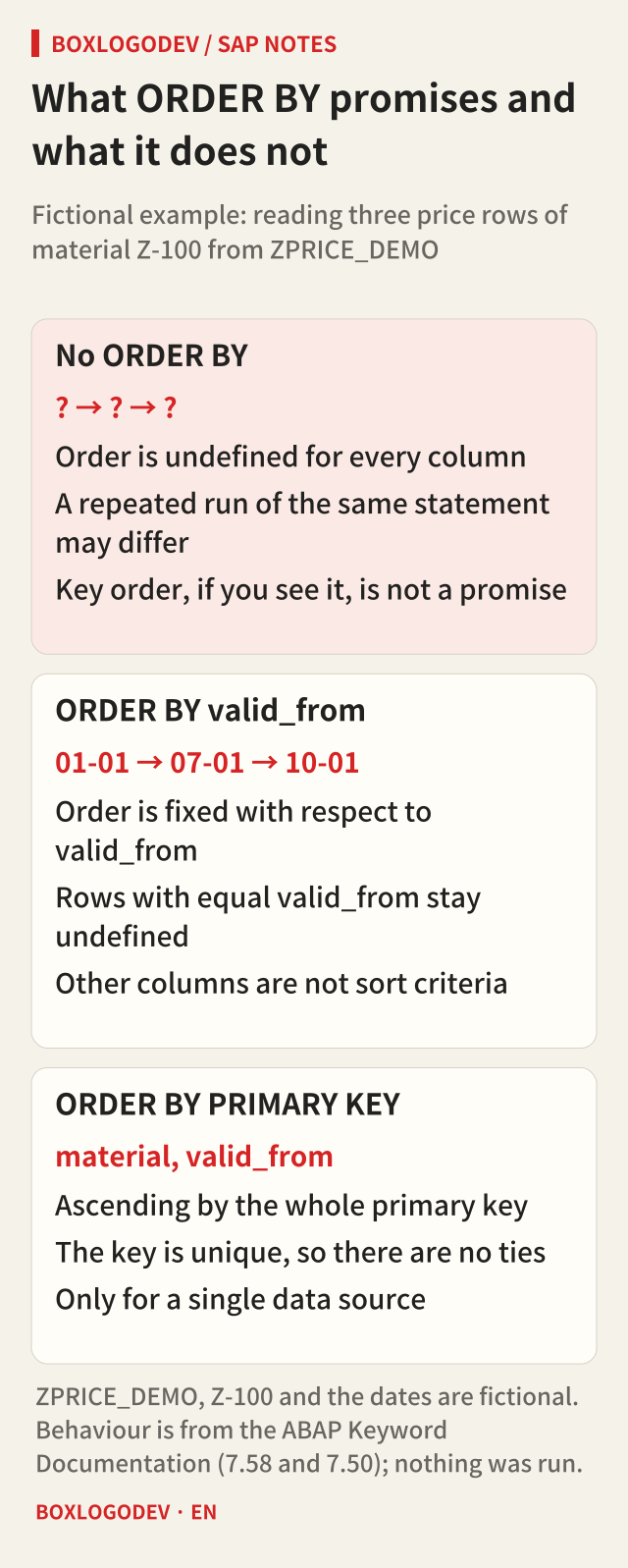
The documentation is plain about it. If ORDER BY is not specified, the order of the rows in the result set is undefined with respect to all columns. Even with ORDER BY, the order is fixed only for the columns listed there; for the others it stays undefined and can differ when the same SELECT is executed again.
So ORDER BY valid_from fixes the three rows as 01-01, 07-01, 10-01, but if several rows share a valid_from, their order among themselves is not promised. To rule out ties, add columns that identify rows uniquely to the sort criteria, or, for a single table, use ORDER BY PRIMARY KEY. The primary key is unique, so ties cannot occur. PRIMARY KEY cannot be used, however, when a join or path expression reads several sources, on results combined with UNION, INTERSECT or EXCEPT, or inside a subquery.
Sorting happens in the database after WHERE, aggregation and GROUP BY are done, and UP TO and OFFSET are applied to the sorted result. That sequence is the key to the next section.
Which row does SELECT SINGLE return?
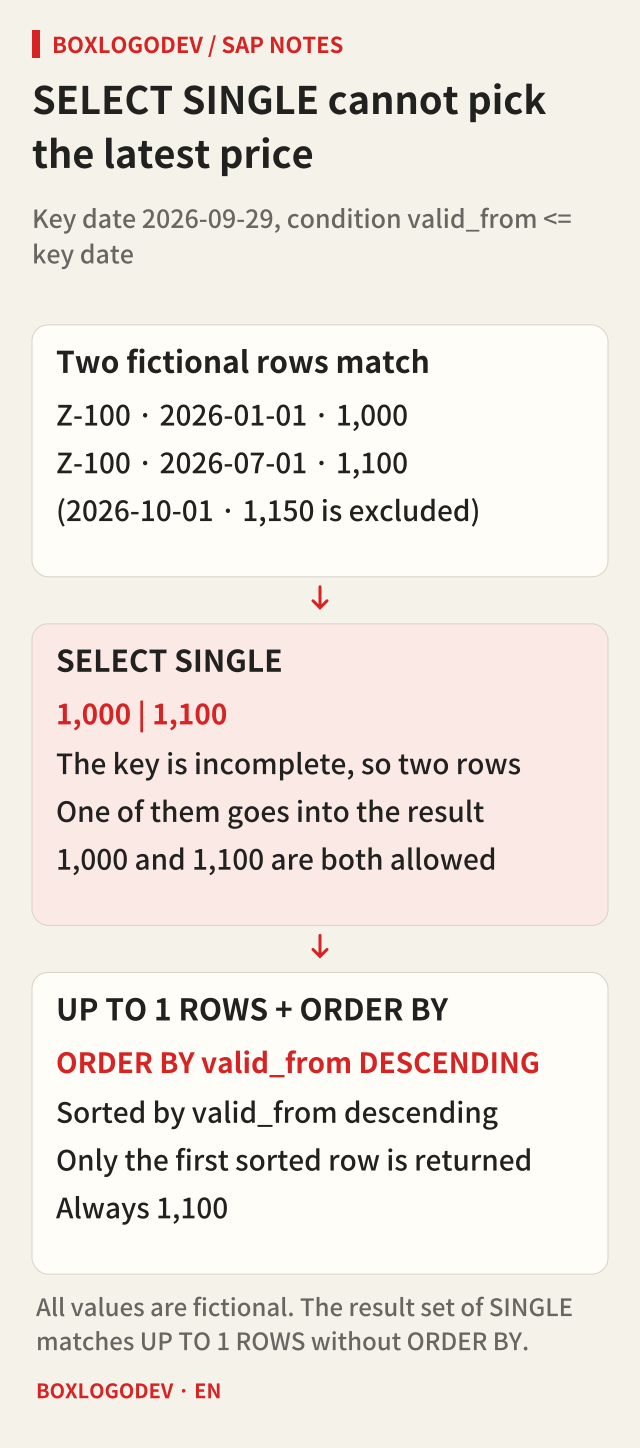
Suppose you read the price of Z-100 for the key date 2026-09-29. Two rows meet valid_from <= key date: 1,000 and 1,100. A SELECT SINGLE here falls under the case the documentation describes: if the selection covers more than one row, one of these rows is included in the result set. The 7.50 edition went as far as saying “at random”. Whether 1,000 or 1,100 comes back, the statement is behaving as documented.
SINGLE cannot be combined with ORDER BY. That is why the documentation recommends UP TO 1 ROWS with ORDER BY when you need to define which of several rows is read. Sort by ORDER BY valid_from DESCENDING, take only the first row, and the answer is always 1,100. In one line: use SINGLE to read exactly one fully specified row, and UP TO 1 ROWS to read at most one row from a set. The documentation adds that the performance difference can usually be ignored in practice.
Reading UP TO 1 ROWS into a structure opens a loop, so ENDSELECT is required; reading into an internal table does not need it. The extended program check warns about a SELECT SINGLE whose key is incomplete. If you only want to know whether a row exists, any row will do, and the documentation allows hiding the warning with a pragma. In code that uses the value, that warning points to the line to fix.
UP TO n ROWS and BINARY SEARCH rely on order too
UP TO n ROWS without ORDER BY returns n arbitrary rows that meet the condition. If you meant “the latest three” or “the top ten”, that meaning is gone the moment ORDER BY is missing. Even with ORDER BY, if the sort is not unique, you cannot tell which tied rows at the boundary end up in the result. OFFSET, used for paging, cannot be written without ORDER BY at all, and the documentation says it only makes sense when the order is defined. To keep rows from being skipped or repeated between pages, carry the key columns all the way into the sort criteria.
The second trap is on the ABAP side: a standard table filled with INTO TABLE and no ORDER BY, then read with READ TABLE ... BINARY SEARCH. A binary search assumes the table is sorted in ascending order by the components of the search key; otherwise, in the documentation's words, the correct line is not usually found. There is no error, just a quiet sy-subrc of 4 or the wrong row. Sort after reading, or use a sorted table or a sorted secondary key.
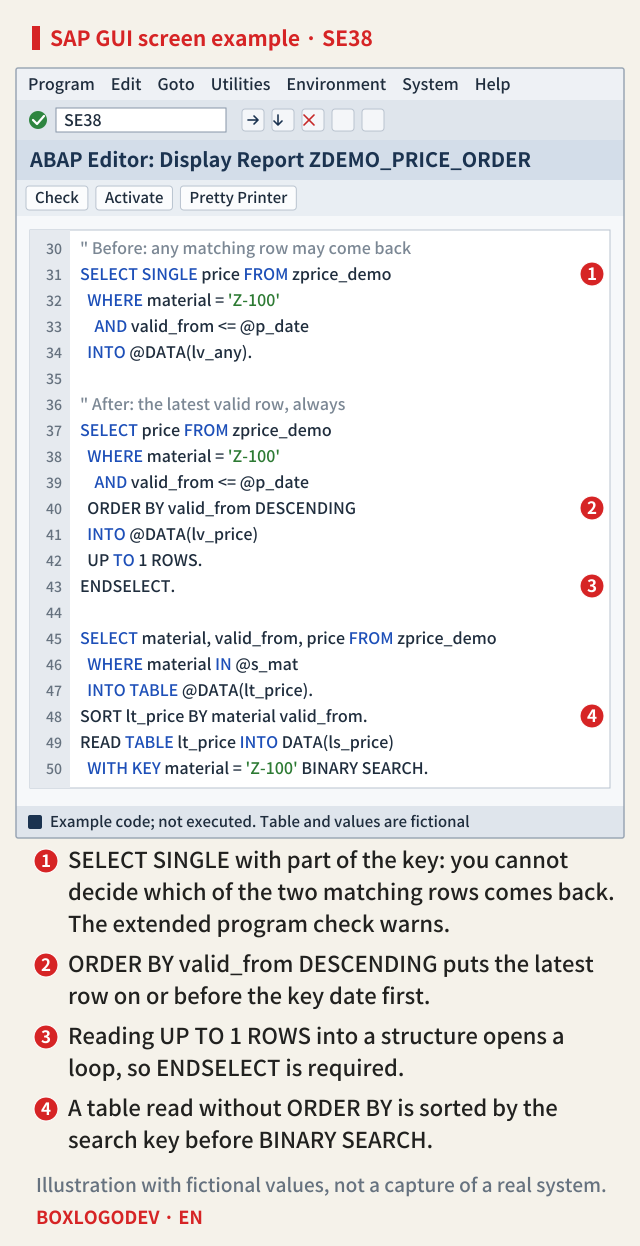
The documentation also addresses where to sort. Only ORDER BY PRIMARY KEY is guaranteed to be supported by an index; without a suitable index it recommends sorting on AS ABAP with SORT rather than with ORDER BY in the database. Marker four on the screen above is that case. One more detail: when the search key is not unique, BINARY SEARCH returns the matching row with the lowest row number. In the example, that is the row with the earliest valid_from. If you need the latest row, design the sort direction along with the read.
What differs by release
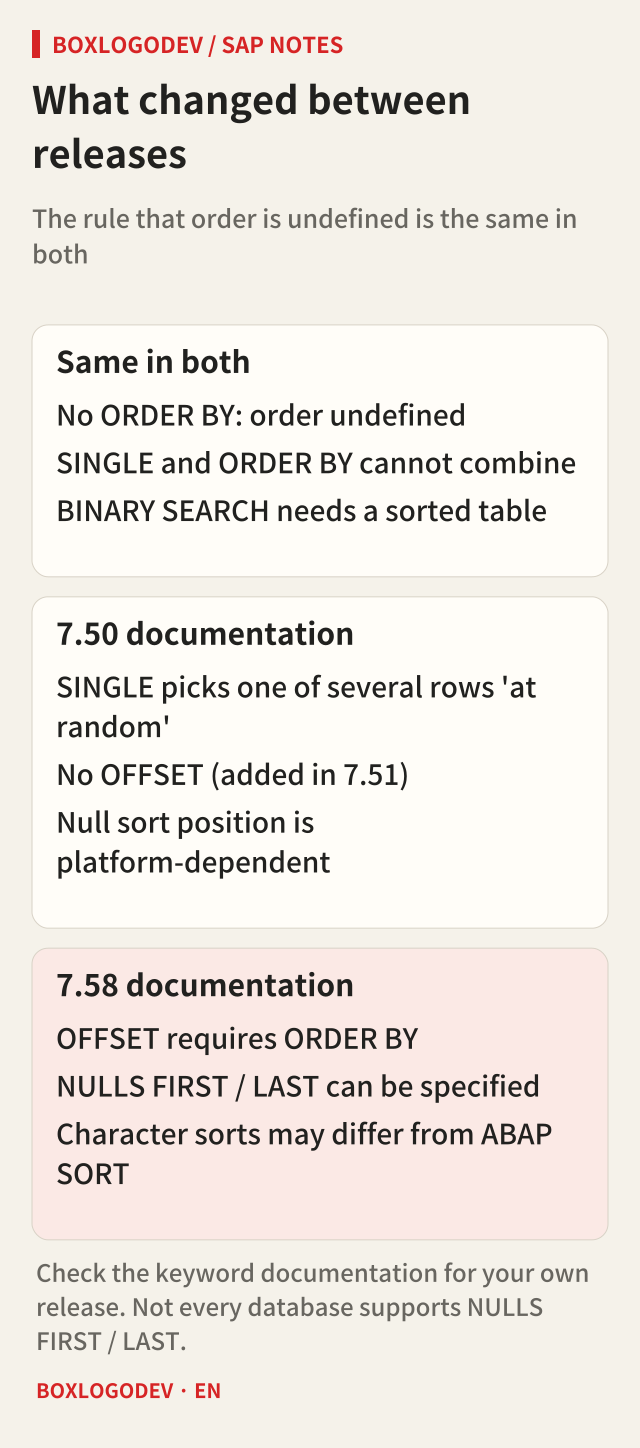
The rule that order is undefined without ORDER BY, the restriction that SINGLE and ORDER BY cannot be combined, and the requirement that BINARY SEARCH needs a sorted table appear the same way in the 7.50 and 7.58 editions.
What changed are the features that depend on order. OFFSET was added in 7.51, so a 7.50 system does not have it. The 7.50 edition only says that nulls in an ORDER BY column may sort differently on different platforms; the 7.58 edition has NULLS FIRST and NULLS LAST, which not every database supports. The 7.58 edition also warns that database sorts of character-like values can be platform-dependent and differ from an ABAP SORT. That is a reason to sort again in ABAP before a BINARY SEARCH, even on a table sorted by the database. Check the edition for your own release, including the SELECT, SINGLE entry.
Three things to check in your code
When reviewing an existing program, look for three things. First, is a SELECT SINGLE with an incomplete key used to read a value? If so, change it to UP TO 1 ROWS with ORDER BY. Second, does the ORDER BY attached to UP TO n ROWS or OFFSET sort the rows uniquely? Third, is there a SORT in the same key order before each BINARY SEARCH?
If you remember only one thing, make it this: if you need an order, write it down. An order you did not write may be right today and is still not promised tomorrow.
Add your perspective.
Share a question, another approach, or something you have tried.
Checking sign-in…
Loading comments…