Say you want to save the items in a list one by one, so you write ids.forEach(async (id) => { await save(id); }). Then the "done" log below it prints before the saves, the counter of saved items reads 0, and the error you wrapped in try is never caught. After reading this you will be able to explain what forEach does not wait for, choose the code to use when items must go in order and when they can go together, and decide how to catch the items that fail.
Every example was run on 2026-10-03 as an ES module file in Node.js v24.21.0 (V8 13.6) on macOS 27.0.1. save() is a fake save function that waits 100ms (50ms in the error examples) and then finishes; no real database or API was called. Millisecond values vary by a millisecond or two between runs.
forEach drops the Promise the callback returns
An async function returns a Promise as soon as it is called. An await inside it pauses only the rest of that function; it does not pause the code that called the function. So when the forEach callback is async, forEach calls it three times and gets one Promise back from each call.
The problem is that forEach never stores those Promises. The Array.prototype.forEach steps in the ECMAScript specification just call the callback for each element and return undefined when the loop ends. No step takes the callback's return value. In the same place, map puts the return value into a new array. MDN's forEach page also notes separately that forEach expects a synchronous function and does not wait for promises.
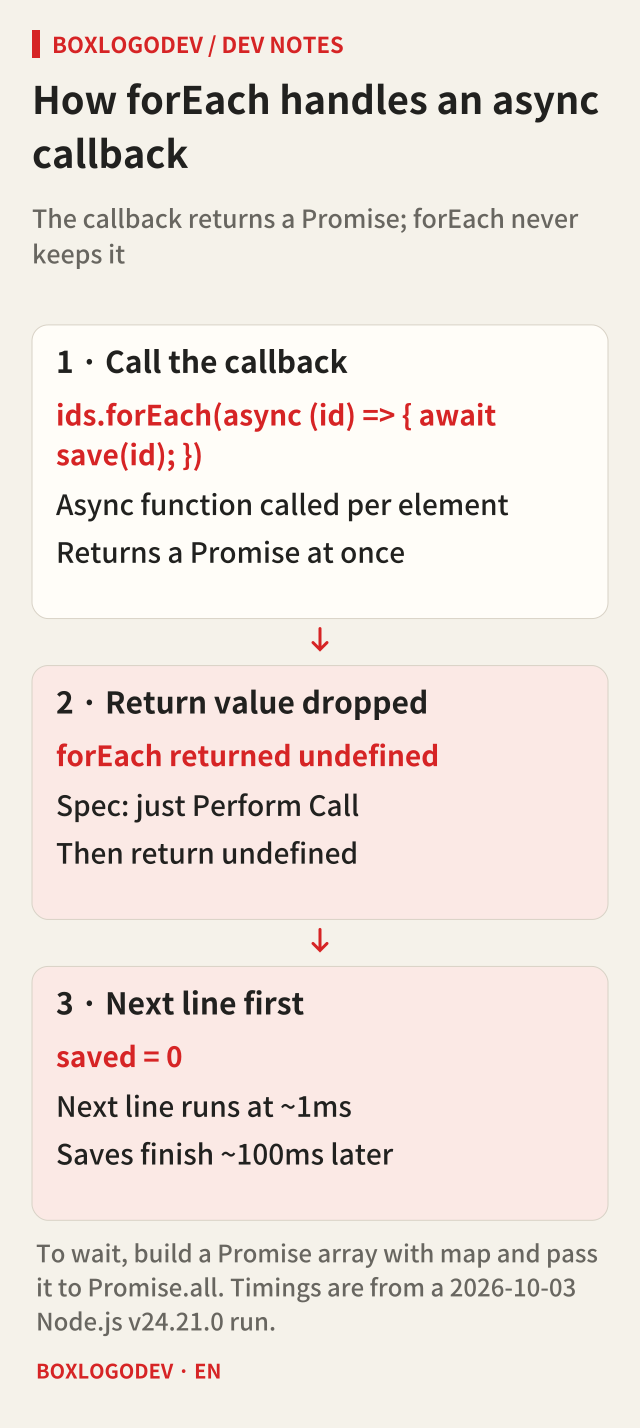
Running it shows exactly that. forEach returned undefined immediately, the next line ran about 1ms later, and the three saves finished only after about 100ms. The counter of saved items was 0 right after forEach and reached 3 only after waiting another 150ms. If the code right after forEach sends a response or ends the function, it runs before the saves are done.
![Node.js v24.21.0 output. forEach returned undefined at about 1ms and the next line ran, then saves 1, 2, 3 finished at about 100ms. Counting gives 0 right after and 3 after 150ms. for...of saved 1, 2, 3 about 100ms apart and reached the next line at about 300ms. map with Promise.all finished all three at about 100ms with [1,2,3].](/images/en/async-foreach-await-run-01.png)
One at a time, in order: await inside for...of
If each save must finish before the next one starts, await inside a for...of loop. Here await pauses the async function around the loop (or the top level of an ES module), so the next iteration starts only after the previous Promise settles.
In the run the saves finished in order, 1, 2, 3, about 100ms apart, and the next line ran at about 300ms. Time grows with the number of items, but the order is guaranteed. This is the right choice when a request needs the previous result, or when the other server accepts only one at a time.
All together: collect with map, then Promise.all
If the order of the saves does not matter, build an array of Promises with map and wait for it with Promise.all. Unlike forEach, map puts each Promise the callback returns into an array, so now there is something to wait for. In the run the three saves started together and all finished at about 100ms, and Promise.all returned [1,2,3] in input order.
Sending every request at once can hit the other service's rate limit or connection limit. In that case cut the array into fixed-size batches and wait for a Promise.all per batch. The example that handled five items two at a time finished its batches at about 100ms, 200ms and 300ms. Choose the batch size from the limits documented for the API you use. The numbers here are only the fake function's wait time, not a measurement of any service's limit or speed.
![Four boxes. With forEach and async the next line runs at about 1ms and the saves finish at about 100ms, so nothing waits. for...of with await saves 1, 2, 3 in order and the next line runs at about 300ms. map with Promise.all saves all three at once; the next line runs at about 100ms with [1,2,3]. Promise.all in batches of two handles five items as 2, 2, 1 and the next line runs at about 300ms.](/images/en/async-foreach-await-02.svg)
Where does a failure go?
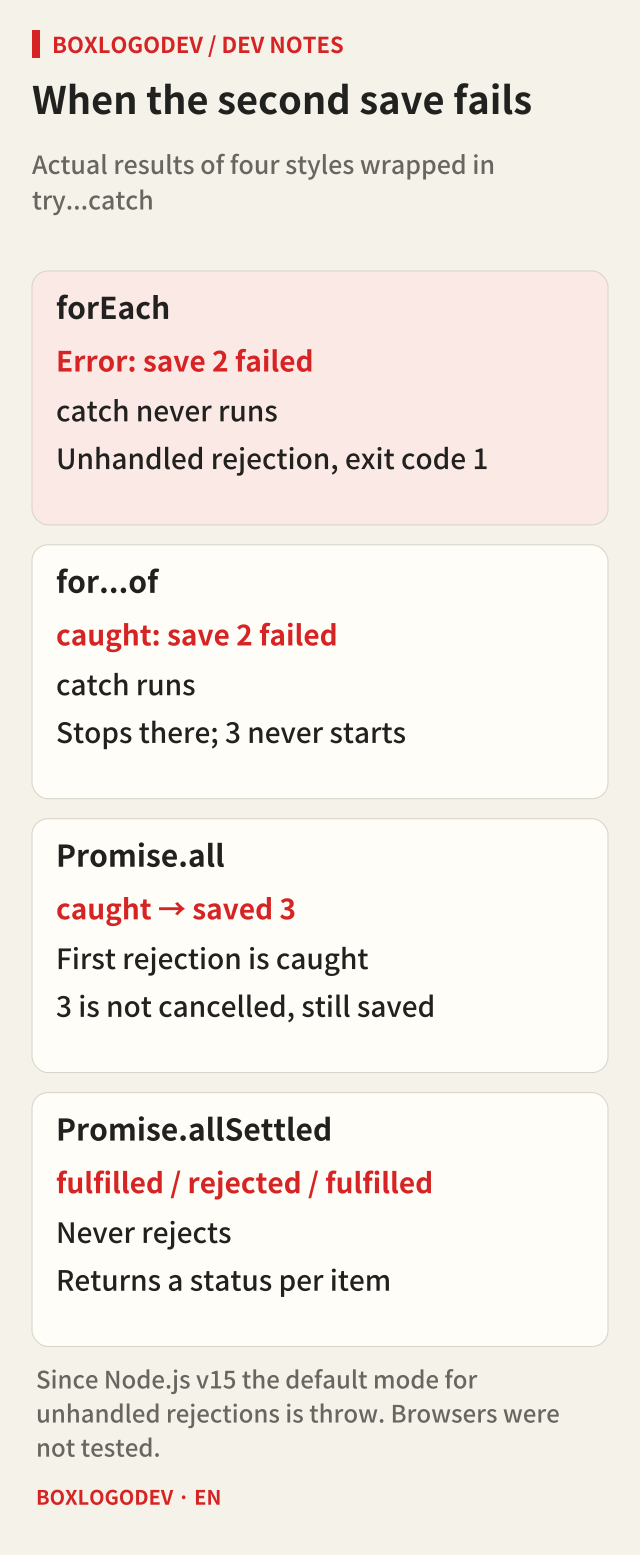
The second save was changed to fail, and each of the four styles was run inside try...catch.
- forEach: the
tryblock ended without catching anything. The Promise returned by the callback was rejected, but no code ever received that Promise. Since v15 Node.js usesthrowas the default mode for unhandled rejections, so the process printedError: save 2 failedand ended with exit code 1. The log for the third save never appeared. - for...of:
catchcaught the error, and the loop stopped where it failed, so the third save never started. - Promise.all: it rejected at once with the first rejection reason, and
catchcaught it. The remaining work was not cancelled, though:saved 3printed after the catch. Work that has already started keeps running after the rejection. - Promise.allSettled: it did not reject, and returned a
statuswith a value or failure reason for each item. Use it to retry only the failed items or to tell the user which ones failed.
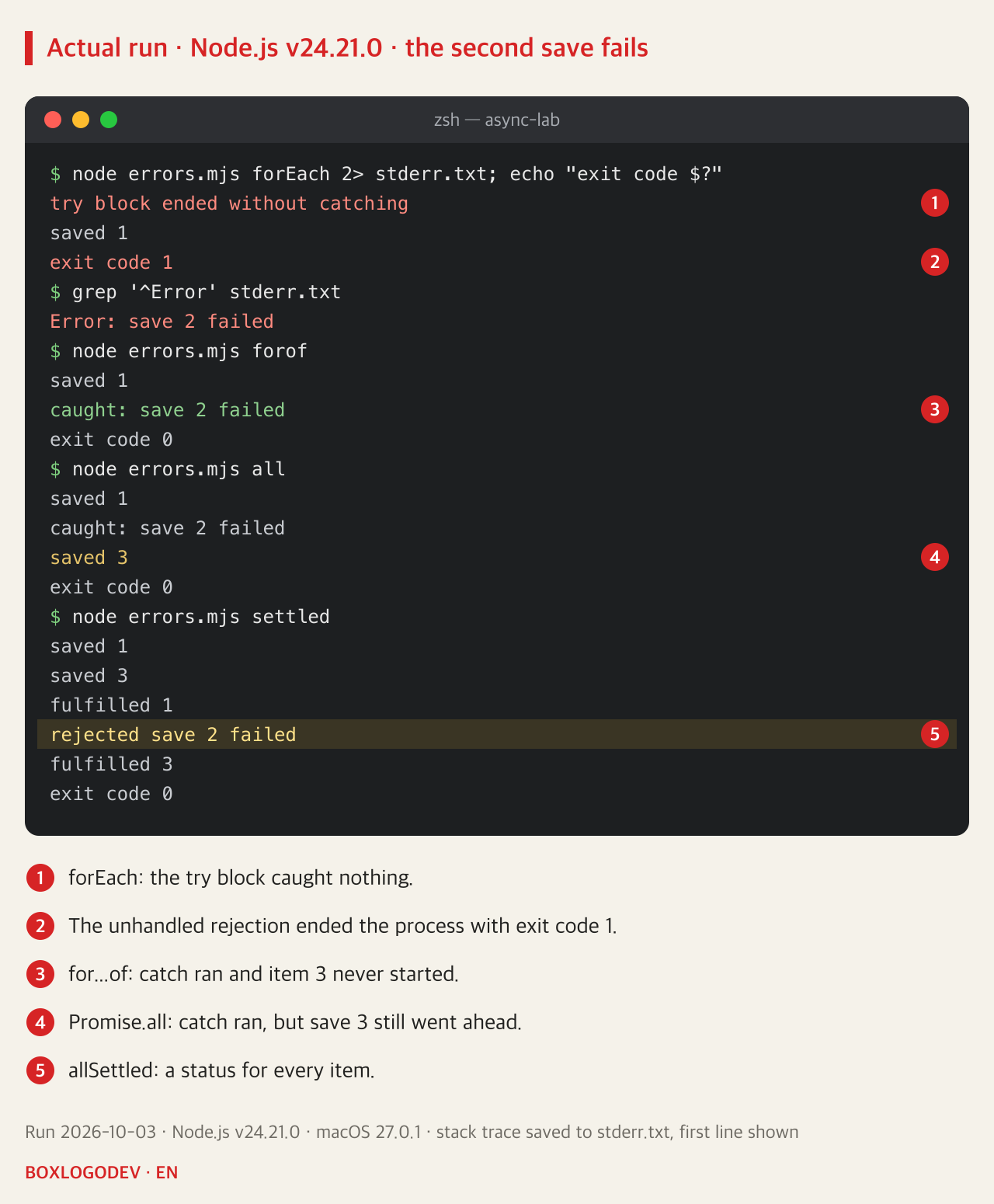
These examples were not run in a browser. How an unhandled rejection is reported depends on the runtime, so for server code check the settings of the runtime you use.
Choosing quickly in a code review
When you see forEach(async, ask two questions first: does the code after this loop assume the work is finished, and do we need to know about failures? If either answer is yes, replace the forEach.
- Order matters, or items must go one at a time:
for (const id of ids) await save(id); - Items can run together:
await Promise.all(ids.map(save));, or batchedPromise.allwhen there is a request limit - You need the other results even if some fail:
Promise.allSettled
Even for work whose result you truly do not need to wait for, an error left unhandled inside the callback can end a Node.js process as an unhandled rejection. The one thing to remember: to wait for something you first have to hold its Promise, and forEach never hands it to you.
Add your perspective.
Share a question, another approach, or something you have tried.
Checking sign-in…
Loading comments…