Say you have just added a memo field to an order screen. When the user leaves it empty, memo is undefined in your code, and when you open the server log the memo key is not there at all. No error appeared anywhere. The server cannot tell “the memo was left empty” from “this came from an older app without a memo field”. The cause is not fetch but JSON.stringify, which builds the request body. After reading this you will be able to tell which values disappear, which turn into null and which change shape, and you will be able to write a small function that surfaces those changes as errors instead of letting them pass quietly.
Order 1001, product MUG-1 and the memo and discount values in the example are all fictional. It was run on 28 September 2026 on this computer with Node.js v24.21.0; the resulting string was sent with the built-in fetch as a POST to a local server (127.0.0.1:4320), which recorded the body it received. The rules are described from the ECMAScript specification draft dated 20 September 2026 and MDN.
Three kinds of value change without an error
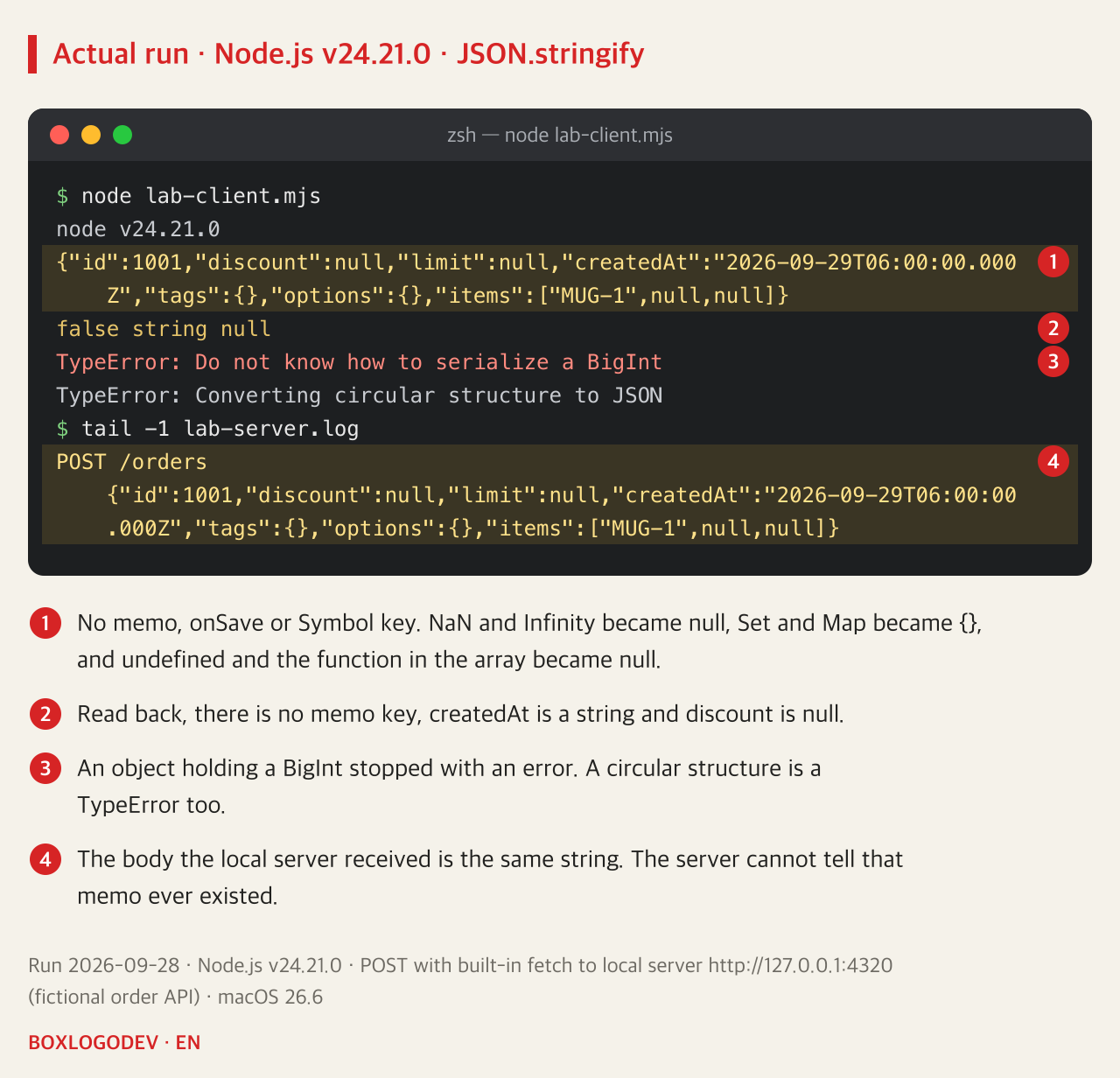
The order object used in the run deliberately gathers values that are awkward to put into JSON. memo is undefined, discount is NaN, limit is Infinity, createdAt is a Date, tags is a Set, options is a Map, onSave is a function for the save button, there is one Symbol key, and the items array holds an undefined and an arrow function.
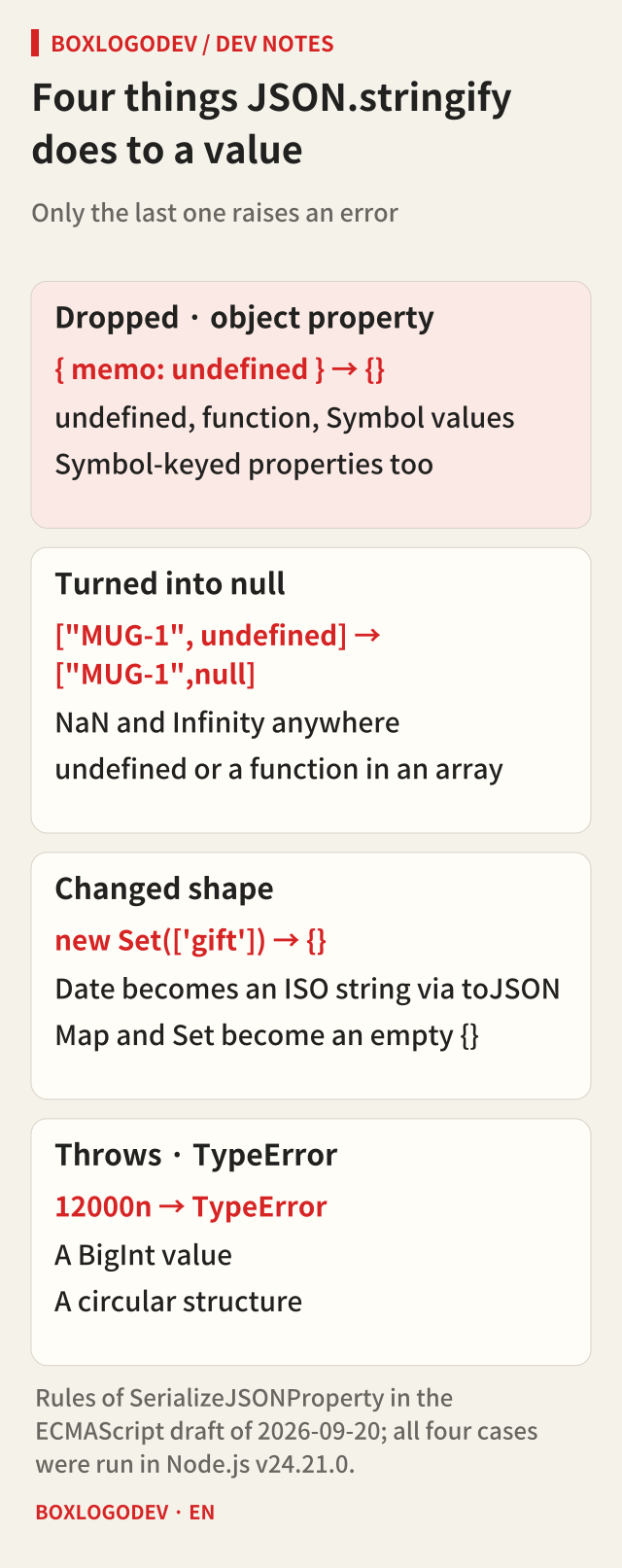
In the output string, memo, onSave and the Symbol key left no trace. When an object property's value is undefined, a function or a Symbol, JSON.stringify skips the whole property. The same values inside an array are treated differently. Array positions carry meaning, so they are not removed but filled with null. That is why items became ["MUG-1",null,null].
NaN and Infinity become null wherever they are, because the JSON grammar (RFC 8259) has no way to write such numbers. A Date turns into the ISO string its toJSON returns, and a Set or Map becomes an empty object {}. JSON.stringify only looks at an object's enumerable own properties, and the contents of a Set or Map are not such properties.
Only two cases stopped with an error. The BigInt value (12000n) gave TypeError “Do not know how to serialize a BigInt”, and an object pointing to itself gave TypeError “Converting circular structure to JSON”. The wording is that of V8, the engine Node uses, and may differ in other engines, but the specification fixes the fact that it is a TypeError.
The server cannot know about a key that vanished
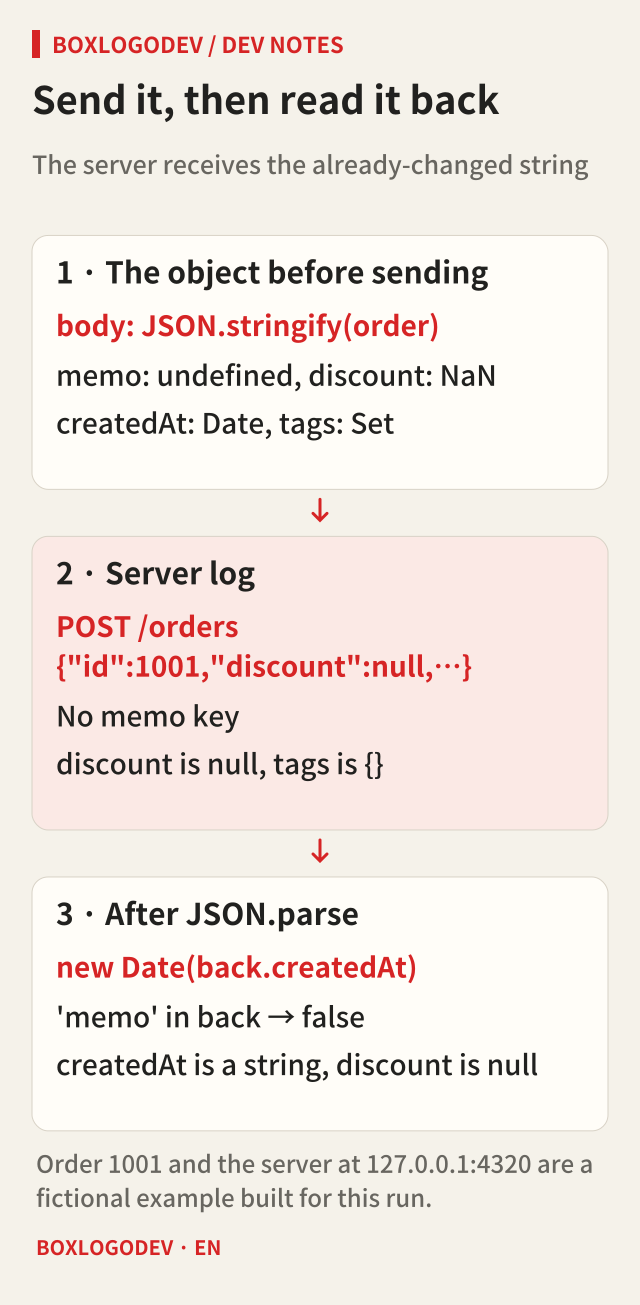
The body in the local server's log matched the printed string character for character. What goes over the network is a finished string, so however careful the server is, it has no way to learn that memo was ever there. Leaving validation to the server produces no “memo is missing” error either; if memo is optional, the order is simply saved.
Reading the string back with JSON.parse does not restore the original object. In the run, 'memo' in back was false, typeof createdAt was string and discount was null. To use createdAt as a date, the receiver has to rebuild it with new Date(back.createdAt), and tags is {}, so the original "gift" cannot be recovered. A null discount reads easily as “no discount”, but it was really a NaN from a calculation mistake.
A missing key and null can mean different things
That does not mean every undefined should become null. If an API takes PATCH requests in the JSON Merge Patch format (RFC 7396), a key absent from the patch means “leave it unchanged” and null means “remove that value”. Sending memo: null to such an API deletes the stored memo. In this case JSON.stringify dropping undefined actually matches “don't touch it”.
So the first thing to settle is the API's contract. In a POST or PUT that sends the whole order, a missing key is usually a mistake. In a PATCH that changes only part of it, leaving a key out may be intended. The function below assumes the first case: a request that sends the whole document.
Convert what you can and surface the rest as errors
The replacer function, JSON.stringify's second argument, is called for every key and value, and whatever it returns is serialized instead. Here it turns a BigInt into a string, a Map into an object and a Set into an array. Instead of sending NaN and Infinity as null, it throws a RangeError. Then it compares the top-level keys with the parsed result and throws a TypeError if any key vanished. This is the code used in the run.
function replacer(key, value) {
  if (typeof value === 'bigint') return value.toString();
  if (value instanceof Map) return Object.fromEntries(value);
  if (value instanceof Set) return [...value];
  if (typeof value === 'number' && !Number.isFinite(value)) throw new RangeError(`${key} is ${value}`);
  return value;
}
function toJsonStrict(obj) {
  const text = JSON.stringify(obj, replacer);
  const lost = Object.keys(obj).filter(k => !(k in JSON.parse(text)));
  if (lost.length) throw new TypeError(`dropped: ${lost.join(', ')}`);
  return text;
}
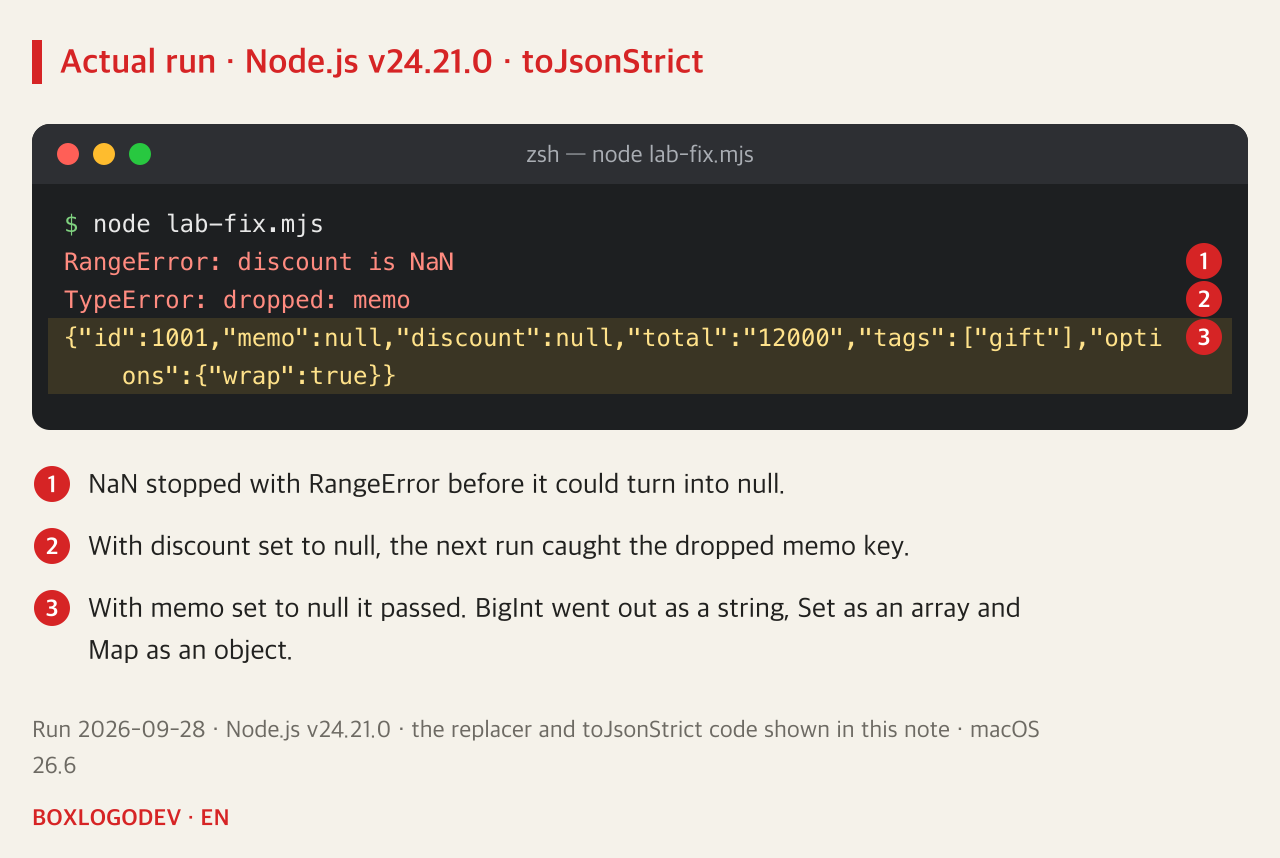
The function was run three times on the same order. The first run stopped with “RangeError: discount is NaN”. With discount set to null, the next one gave “TypeError: dropped: memo”. With memo also set to null it passed, and total went out as "12000", tags as ["gift"] and options as {"wrap":true}. The receiver has to know that total arrives as a string.
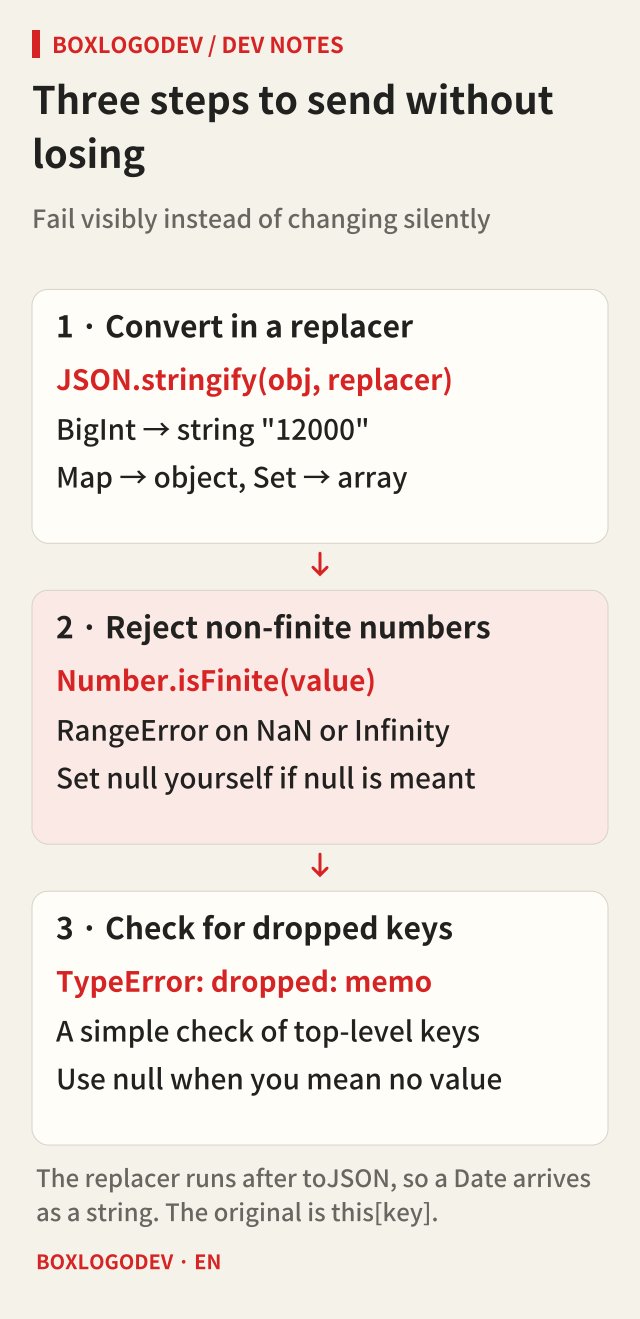
Two limits are worth knowing. The dropped-key check only looks at the top level; catching an undefined inside an object in items needs the same comparison done recursively. And because the replacer is called after toJSON, a Date already arrives as a string. Inside the replacer, value instanceof Date is false, and the original Date is this[key]. This was also checked in a separate run in Node v24.21.0.
Read it back once before you send it
JSON.stringify drops or changes values so that it does not have to fail. So skim the object that becomes a request body for undefined, NaN, Date, Map, Set or BigInt, and if any of them can appear, print JSON.parse(JSON.stringify(x)) next to the original before sending. When a key has gone missing, decide for yourself, following the API's contract, whether it means “no value” or “leave unchanged”, and put in null or leave it out accordingly.
Add your perspective.
Share a question, another approach, or something you have tried.
Checking sign-in…
Loading comments…